Portable Power Stations: What Size Do You Really Need?
Choosing the right portable power stations is not just about bigger capacity—it is about matching real energy needs, runtime, portability, and budget. Whether you use lithium ion batteries for field work, backup power, off-grid projects, or mobile operations alongside devices like portable monitors and wireless chargers, understanding size requirements helps buyers avoid overspending or underpowering critical equipment.
For B2B buyers, project managers, technical evaluators, and distributors, sizing decisions affect more than convenience. They influence deployment efficiency, transport costs, downtime risk, battery replacement cycles, and even safety planning. A 300Wh unit may be perfect for a mobile inspection team, while a 2,000Wh system may still be undersized for field medical devices, refrigeration, or site tools.
This guide explains how to estimate real power demand, compare typical size ranges, and select portable power stations that align with operational goals. It is written for organizations that need practical purchasing guidance rather than generic consumer advice.
Start with Load Profile, Not Battery Size
The most common sizing mistake is starting with advertised capacity instead of actual load profile. Portable power stations are usually sold by watt-hours (Wh) and output power in watts (W), but buyers often focus on one figure and ignore the other. In practice, both matter. A station with 1,000Wh but only 600W continuous output may not run a device that needs 800W at startup.
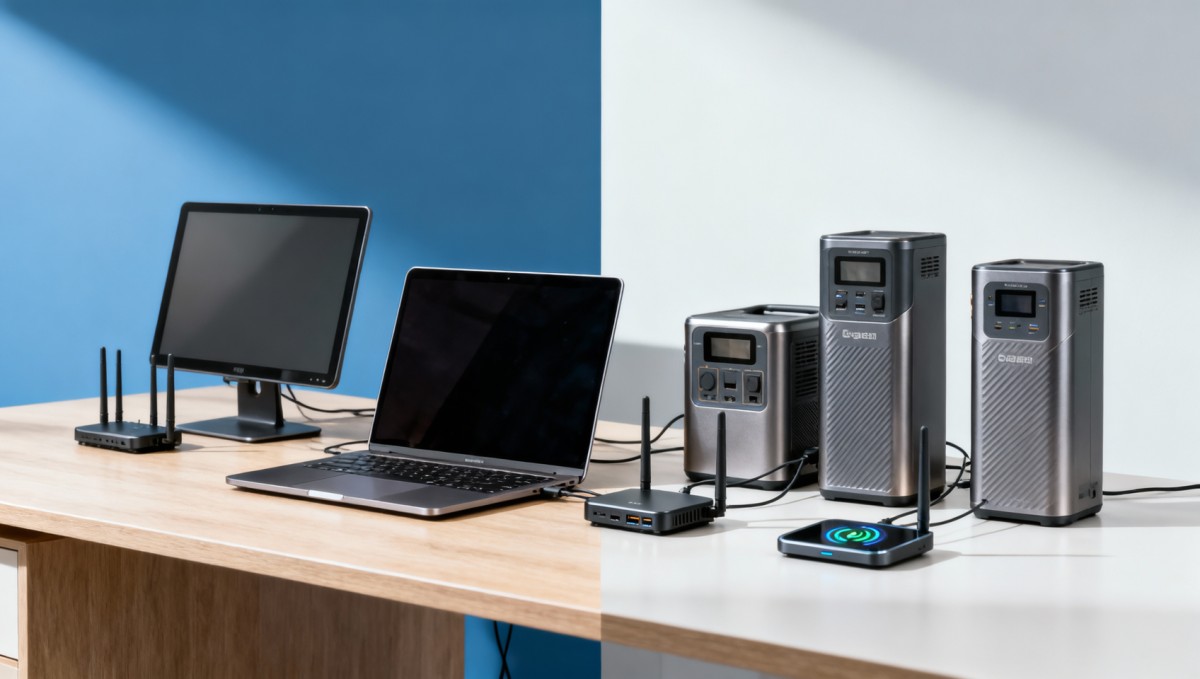
A proper load profile answers four questions: what devices will run, how many watts each device consumes, how long they must run, and whether any equipment has surge demand. For example, a laptop may use 45W to 100W, a portable monitor 15W to 40W, a wireless charger 10W to 20W, a CPAP device 30W to 60W, and a compact field refrigerator 50W to 90W, often with a higher startup spike.
Technical teams should also account for conversion loss. Real-world usable energy is often 10% to 20% lower than the headline number, depending on inverter efficiency, DC-to-AC conversion, ambient temperature, and battery chemistry. In cold or high-load conditions, effective runtime can drop faster than spreadsheet estimates suggest.
For procurement and finance stakeholders, this means a smaller unit with the right output architecture can outperform a larger but mismatched one. If a project requires 8 hours of support for a 120W mixed load, the theoretical need is 960Wh. Adding a 15% energy buffer brings the practical target to roughly 1,100Wh.
Core Sizing Formula
A workable planning formula is simple: total running watts × required hours ÷ efficiency factor. Many teams use an efficiency factor between 0.8 and 0.9 for planning. This gives a safer estimate than assuming full nameplate capacity is always available.
What to count in the estimate
- Continuous load in watts for each connected device
- Peak or surge watt demand, especially for motors and compressors
- Required runtime, such as 2 hours, 8 hours, or a full 12-hour shift
- Energy loss from inverters, charging adapters, and cable conversion
- A reserve margin of 10% to 25% for battery aging or unexpected use
The table below shows how a basic load profile translates into approximate size planning across common mobile business scenarios.
The key takeaway is that sizing begins with duty cycle and output requirements, not marketing labels. A disciplined watt-and-runtime calculation reduces both underperformance risk and unnecessary capital spend.
How Portable Power Station Sizes Map to Real Business Use
In commercial use, portable power stations generally fall into three practical bands: compact units below 500Wh, mid-range units from 500Wh to 1,500Wh, and high-capacity systems above 1,500Wh. These categories are not official standards, but they are useful for matching mobility with runtime expectations.
Compact units are often best for mobile offices, service engineers, event teams, and sales staff who need low weight and quick deployment. Many models in this band weigh around 4kg to 8kg and support phones, tablets, cameras, portable monitors, and light networking devices. They are easy to move but limited for shift-length operation.
Mid-range systems are usually the most versatile for B2B users. At roughly 8kg to 18kg, they can support mixed electronic loads for 4 to 10 hours, depending on actual power draw. This band often works well for survey teams, temporary command stations, light healthcare support, and backup power for network equipment or point-of-sale operations.
High-capacity units above 1,500Wh are better suited to extended backup, refrigeration support, field labs, remote workstations, and applications with higher AC demand. However, once the system reaches 20kg to 30kg or more, portability changes from one-person carry to wheeled transport or vehicle-assisted movement. That affects deployment design, not just product selection.
Typical Capacity Bands and Trade-Offs
The table below compares common size bands across portability, runtime, and operating fit.
For distributors and resellers, these bands are also useful for segmenting catalog strategy. Not every customer needs the highest capacity. In many commercial environments, the mid-range category delivers the broadest market fit and the lowest return rate caused by expectation mismatch.
A practical rule of thumb
- Below 500Wh: prioritize portability and charging convenience
- 500Wh–1,500Wh: prioritize balanced runtime and port mix
- Above 1,500Wh: prioritize output stability, thermal control, and handling logistics
This framework helps enterprise buyers align portable energy capacity with actual task design instead of purchasing on headline numbers alone.
Key Technical Factors Beyond Watt-Hours
Capacity is only one part of specification review. Technical assessment teams should examine continuous output, surge handling, battery chemistry, charging speed, port configuration, and operating environment. A portable power station that meets Wh targets but lacks the right outputs may still fail in the field.
Continuous output and surge output deserve close attention. Some devices, especially motors, compressors, and certain lab instruments, may draw 1.5 to 3 times their rated running power at startup. If the inverter cannot handle that surge, the system may shut down even when battery capacity is sufficient.
Battery chemistry matters as well. Lithium ion batteries are common because they offer a strong energy-to-weight ratio, but buyers should still compare cycle life, thermal stability, and recharge behavior. In daily or near-daily use, cycle durability can affect total ownership cost far more than the initial price difference between two units.
Charging architecture also shapes real productivity. If a site team has only a 2-hour window between jobs, a slow recharge profile can undermine a seemingly adequate battery size. In many operations, the difference between a 2-hour and 6-hour recharge window directly affects fleet utilization and backup planning.
Technical Review Checklist
- Verify continuous AC output against the highest expected simultaneous load.
- Check surge capability for compressor, motor, or refrigeration startup.
- Review DC, USB-C, USB-A, and wireless charging outputs if mobile electronics are part of the workflow.
- Confirm operating temperature range and ventilation needs for indoor and outdoor use.
- Estimate recharge time from AC input, vehicle charging, or solar support if off-grid deployment is planned.
Common specification points to compare
In most commercial evaluations, a useful comparison sheet includes at least 6 points: capacity in Wh, continuous output in W, surge output in W, number of AC/DC/USB ports, recharge time, and estimated cycle life. Safety managers may add casing protection, thermal cutoff behavior, and transport handling requirements.
For operations that rely on sensitive electronics, power quality is another consideration. Stable output matters for networking devices, medical support tools, and testing equipment. Technical teams should not assume all inverters provide the same performance under partial load, peak load, or repeated surge cycles.
A good buying process therefore moves from capacity to system architecture. That approach reduces the risk of selecting portable power stations that look adequate on paper but fail in demanding field use.
How Different Buyers Should Select the Right Size
Different stakeholders evaluate portable power stations through different lenses. End users usually focus on runtime and ease of movement. Technical evaluators focus on output compatibility and battery behavior. Finance approvers look at total lifecycle cost. Safety and quality teams review charging, thermal performance, and operating risk. A strong purchasing decision combines all four views.
For information researchers and project planners, the first decision is whether the power station is a convenience tool, a business continuity tool, or a mission-support tool. A convenience unit may tolerate shorter runtime. A continuity unit for network backup or POS systems requires higher reliability. A mission-support unit for healthcare or field diagnostics needs stricter power and runtime margins.
For distributors, matching product size to customer maturity can improve conversion. Smaller businesses often underestimate output requirements, while larger enterprises often overbuy because they are managing risk. Both groups benefit from a structured sizing discussion using device lists, runtime windows, and transport limitations.
For enterprise decision-makers, the right question is not “What is the biggest unit available?” but “What size minimizes downtime and waste across a 12- to 36-month use horizon?” This reframes the decision around operational value rather than one-time specification appeal.
Buyer-Type Guidance
The table below outlines how different B2B stakeholders typically prioritize portable power station sizing.
This multi-role view is especially useful in cross-functional approval environments. It creates a clearer business case and shortens review cycles by turning sizing into a measurable decision rather than a subjective preference.
Questions to ask before purchase
- Will the unit support one operator for 4 to 8 hours, or a shared team for an entire shift?
- Does the workflow require AC output, DC output, USB-C PD, or all three?
- Can the team carry the unit repeatedly, or will it travel by vehicle or cart?
- Is backup power occasional, weekly, or part of everyday operations?
- What reserve margin is acceptable for safety-critical tasks?
These questions help buyers translate application needs into a realistic size band and a defensible procurement specification.
Common Mistakes, Deployment Tips, and FAQ
Many purchasing errors come from assuming all portable power stations behave the same at similar capacity levels. They do not. Two units listed at 1,000Wh can differ materially in output quality, recharge time, low-temperature performance, and port design. That is why deployment planning should include a brief operational test before volume rollout.
A practical pilot can be completed in 3 steps over 5 to 10 working days: define target devices, test runtime under realistic duty cycles, and review transport plus recharge workflow. Even a small pilot with 2 to 5 units can reveal whether the selected size fits field reality or only desk-based assumptions.
It is also wise to plan for battery aging. Over time, available runtime can decline, especially under frequent deep discharge. Buyers who need consistent output for a 3-year use period often add a 15% to 25% capacity buffer at purchase stage instead of running the unit at its limit from day one.
Below are common mistakes that repeatedly affect B2B deployments and can be avoided through better specification discipline.
Frequent Sizing Mistakes
- Using only Wh and ignoring output watt limits.
- Failing to include surge demand for refrigeration or motor-driven tools.
- Ignoring recharge time between shifts or service calls.
- Buying oversized units that reduce mobility and actual usage.
- Skipping a reserve margin for battery aging, weather, or unexpected loads.
FAQ: How do you know if a unit is too small?
A unit is probably too small if expected runtime consumes more than 80% to 90% of its usable capacity in normal operation, or if startup loads approach the inverter ceiling. In daily business use, that leaves too little margin for aging, temperature shifts, or added accessories.
FAQ: What size is suitable for laptops, monitors, and mobile accessories?
For a typical mobile workstation using 1 laptop, 1 portable monitor, a phone, and a wireless charger, a 300Wh to 700Wh unit is often enough for partial-day work. For full-day operation of 6 to 8 hours, many teams move into the 700Wh to 1,200Wh range.
FAQ: When should a buyer move above 1,500Wh?
Usually when the application includes refrigeration, multi-device backup, longer than 8-hour runtime, or power-sensitive field operations where downtime carries financial or safety impact. Above this threshold, freight, storage, and handling should be reviewed together with electrical specifications.
FAQ: Is bigger always more economical?
Not necessarily. Larger units can raise purchase cost, transport burden, and unused capacity. The best commercial choice is the smallest unit that reliably covers the real load profile with an appropriate operating buffer.
Selecting the right portable power station size comes down to three measurable factors: actual device load, required runtime, and workable mobility. Once these are defined, buyers can compare lithium ion battery systems more confidently across performance, cost, and operational fit.
For organizations evaluating power solutions across advanced manufacturing, green energy fieldwork, smart electronics service, healthcare technology support, or mobile supply chain operations, a structured sizing process reduces both technical risk and procurement waste. If you need help comparing options, validating application fit, or identifying supplier-ready specifications, contact TradeNexus Pro to get a tailored solution shortlist and deeper market insight.
Get weekly intelligence in your inbox.
No noise. No sponsored content. Pure intelligence.
 Apr 25, 2026Vietnam Enforces CN-EN Bilingual Safety Labels on Electronic Components from Apr 22, 2026Vietnam Enforces CN-EN Bilingual Safety Labels on Electronic Components from Apr 22, 2026
 Apr 25, 2026ANATEL Mandates Portuguese Offline Voice Assistants for Smart Home Devices in BrazilANATEL Mandates Portuguese Offline Voice Assistants for Smart Home Devices in Brazil
 Apr 25, 2026India BIS Mandates IS 13252:2025 for PLCs & HMIs by Oct 2026India BIS Mandates IS 13252:2025 for PLCs & HMIs by Oct 2026
 Apr 25, 2026SASO EV Charger Rules: Grid Compatibility & Sand Resistance RequiredSASO EV Charger Rules: Grid Compatibility & Sand Resistance Required
 Apr 25, 2026JIS T 0011:2026 Enforces IEC 62366-1:2024 for Rehab Devices in JapanJIS T 0011:2026 Enforces IEC 62366-1:2024 for Rehab Devices in Japan
 Apr 25, 2026THE Alliance Cuts Ningbo–Rotterdam Transit to 18 Days, +35% Spot RateTHE Alliance Cuts Ningbo–Rotterdam Transit to 18 Days, +35% Spot Rate
 Apr 25, 2026TÜV Rheinland Updates IoT EMC Standard: AI Edge Module Immunity Now MandatoryTÜV Rheinland Updates IoT EMC Standard: AI Edge Module Immunity Now Mandatory
 Apr 25, 2026USTR Launches Five-Year China Solar PV AD/CVD ReviewUSTR Launches Five-Year China Solar PV AD/CVD Review
 Apr 25, 2026EU New Battery Regulation Enters Force Apr 24, 2026EU New Battery Regulation Enters Force Apr 24, 2026
 Apr 25, 2026China Customs Launches RCEP Origin Smart Pre-Review for ASEAN机电 ExportsChina Customs Launches RCEP Origin Smart Pre-Review for ASEAN机电 Exports
 Apr 24, 2026India BIS Mandates IS 13252:2025 for PLCs & HMIs by Oct 2026India BIS Mandates IS 13252:2025 for PLCs & HMIs by Oct 2026
 Apr 24, 2026SASO EV Charger Regulation: Sand-Resistant Grid Compatibility Testing RequiredSASO EV Charger Regulation: Sand-Resistant Grid Compatibility Testing Required
 Apr 24, 2026Japan Updates JIS for Rehab Devices: IEC 62366-1:2024 Usability Compliance RequiredJapan Updates JIS for Rehab Devices: IEC 62366-1:2024 Usability Compliance Required
 Apr 24, 2026China Customs Launches RCEP Origin Smart Pre-Review SystemChina Customs Launches RCEP Origin Smart Pre-Review System
 Apr 24, 2026ANATEL Mandates Localized Voice Assistants for Smart Home Devices in BrazilANATEL Mandates Localized Voice Assistants for Smart Home Devices in Brazil
 Apr 24, 2026TÜV Rheinland Updates IoT EMC Standard with AI Edge抗扰度 RequirementTÜV Rheinland Updates IoT EMC Standard with AI Edge抗扰度 Requirement
 Apr 24, 20262M Alliance Shortens Ningbo–Rotterdam Route to 18 Days Amid 35% Slot Premium2M Alliance Shortens Ningbo–Rotterdam Route to 18 Days Amid 35% Slot Premium
 Apr 24, 2026Vietnam Enforces Bilingual Safety Labels for Imported Electronic Components from Apr 22, 2026Vietnam Enforces Bilingual Safety Labels for Imported Electronic Components from Apr 22, 2026
 Apr 24, 2026USTR Launches Sunset Review on China Solar PV AD/CVD DutiesUSTR Launches Sunset Review on China Solar PV AD/CVD Duties
 Apr 24, 2026EU New Battery Regulation Fully Effective Apr 24, 2026EU New Battery Regulation Fully Effective Apr 24, 2026
 Apr 23, 2026Taobao Factory Spark 3.0 Launches AI Workbench for SME Export FactoriesTaobao Factory Spark 3.0 Launches AI Workbench for SME Export Factories
 Apr 23, 2026TENENG Group Inspects IoT Safety Compliance at Jiangnan ChemicalTENENG Group Inspects IoT Safety Compliance at Jiangnan Chemical
 Apr 23, 2026China Launches First Embodied AI Open Data CommunityChina Launches First Embodied AI Open Data Community
 Apr 23, 2026PV Glass Prices Flat for 9 Weeks Amid Rising Integrated ProcurementPV Glass Prices Flat for 9 Weeks Amid Rising Integrated Procurement
 Apr 23, 20262984 NQI One-Stop Platforms Launched Nationwide2984 NQI One-Stop Platforms Launched Nationwide
 Apr 23, 2026China’s Green Smart Ship Tech Norms Accelerate BMS & Shore Power ExportChina’s Green Smart Ship Tech Norms Accelerate BMS & Shore Power Export
 Apr 23, 2026China Builds World's Largest Agri-Meteorological IoT NetworkChina Builds World's Largest Agri-Meteorological IoT Network