Wireless barcode scanners that struggle in busy warehouse aisles
When barcode scanners wireless systems start failing in busy warehouse aisles, the problem is usually not just “bad scanners.” In most cases, scan delays, disconnects, and read errors come from a mix of radio interference, aisle layout, label quality, battery condition, and the way operators are forced to work under pressure. For warehouse users and frontline operators, the most useful approach is not guessing, but identifying which failure pattern is happening first, then fixing the cause in a practical order.
In high-traffic picking zones, a wireless scanner that works perfectly at a bench test can still struggle once forklifts move, pallets stack higher, access points get crowded, and labels become damaged or reflective. That is why operators often feel the scanner is “randomly bad,” even when the issue has a specific pattern. The good news is that many daily scanning problems can be reduced without a full system replacement.
This article explains what users are really dealing with when wireless barcode scanners underperform in warehouse aisles, what symptoms matter most, how to troubleshoot them, and what improvements make the biggest difference to speed, accuracy, and less stressful shifts.
Why wireless barcode scanners fail more often in busy warehouse aisles

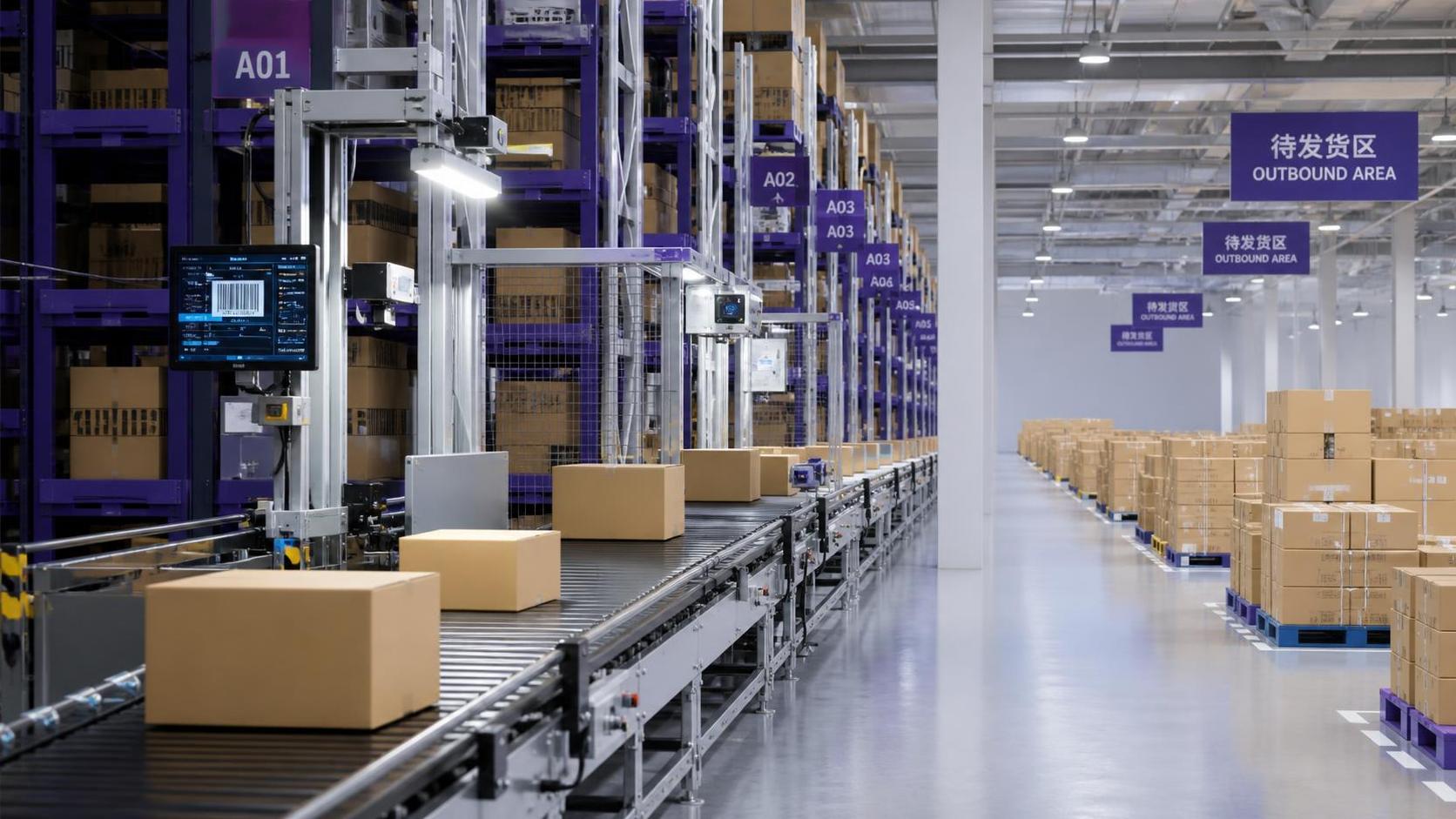
Warehouse aisles are harder for wireless devices than many users realize. Long metal shelving, moving equipment, dense inventory, shrink wrap, and narrow travel paths all affect signal behavior and scanning angles. Even if a scanner is designed for industrial use, the environment may still reduce performance during peak hours.
One major cause is wireless signal obstruction and reflection. Metal racks and stored goods can weaken or bounce signals, especially when many devices compete for the same network. In a quiet zone, the connection may seem stable. In a crowded aisle with handhelds, tablets, vehicle terminals, and forklifts in motion, communication can slow down enough for operators to notice lag between trigger pull and confirmation beep.
Another common issue is barcode condition. In real warehouse work, labels are not always clean, flat, and well positioned. Torn corners, low print contrast, curved surfaces, plastic glare, and dust can all reduce read success. Operators often blame the wireless connection first, but many missed scans are actually decoding problems caused by label quality or scanning angle.
Battery performance also matters more than people expect. A scanner with a weakened battery may still power on and function, but its wireless consistency can drop during longer shifts. This can appear as intermittent disconnects, delayed transmission, or reduced scan responsiveness near the end of the day.
Finally, workflow pressure creates human factors. If users are scanning while walking, reaching above shoulder height, or trying to read labels hidden behind wrap or pallet edges, error rates rise. In busy aisles, the scanner is only one part of the problem. The task setup itself may be making reliable scanning difficult.
What operators usually care about most when scanners start lagging
Frontline users usually do not need a deep technical lecture first. They want answers to practical questions: Why is the scanner slow today? Is the problem the device, the barcode, or the network? What can I do right now to keep work moving? And when should I report the issue for a larger fix?
The biggest concern is lost time. A one-second delay may sound minor, but over hundreds or thousands of scans, it becomes a serious productivity problem. It interrupts rhythm, creates double-scanning, and forces users to stop and confirm whether data was captured. In picking and packing operations, this delay increases stress and slows the whole line.
Accuracy is the second major concern. If a scanner misreads a code, reads the wrong nearby label, or fails to transmit data after a successful beep, operators can make inventory or fulfillment mistakes they may not detect until later. Users care less about technical specifications and more about one simple result: can they trust the scan every time?
The third concern is consistency. A scanner that fails only in certain aisles, at certain times, or with certain products is especially frustrating. Operators need repeatable performance. If they cannot predict when the tool will behave properly, they lose confidence and start creating workarounds, such as rescanning, manually keying entries, or avoiding certain zones.
How to tell whether the problem is signal, barcode quality, or device condition
The fastest way to solve wireless scanning problems is to separate symptoms into categories. If the scanner reads slowly across many labels in one area, that often points to connectivity or coverage issues. If it struggles only on specific products or packaging types, label readability is more likely the cause. If one scanner performs worse than others on the same task, the device itself may need inspection.
A signal-related issue often looks like this: the trigger is pulled, the scanner seems to read, but confirmation is delayed, data appears late on the screen, or the scanner disconnects and reconnects repeatedly. These symptoms usually become worse in high-traffic locations or during peak shifts. If multiple users report the same aisle or zone, the cause is probably environmental rather than individual misuse.
Barcode-quality problems show a different pattern. The scanner may fail on glossy labels, tiny codes, damaged edges, low-contrast printing, or labels placed under plastic wrap. Users may need to change angle, move closer, or try several times before the scan completes. If the same label type always causes trouble, the issue is likely with code design or placement rather than wireless performance.
Device-condition issues are often easier to isolate. A worn trigger, dirty scan window, aging battery, loose battery connection, or damaged antenna can all create uneven performance. If another scanner works fine in the same aisle on the same item, swap testing can quickly show whether the fault follows the device or stays with the location.
Operators should also watch for false assumptions. A scanner that beeps does not always mean the host system received the data correctly. In some setups, the device can decode the barcode locally but still suffer transmission delay. That distinction matters because the fix for a read problem is different from the fix for a communication problem.
Practical fixes users can apply during a shift
Not every problem can be solved on the floor, but several actions can improve results immediately. First, clean the scanner window and check the battery level before the shift gets busy. Dust, fingerprints, and weak battery performance can turn a manageable situation into a repeated interruption.
Second, adjust scanning position. In narrow aisles, operators often try to scan from awkward angles to save time. That can backfire. A slightly straighter angle, a small step closer, or avoiding direct glare from wrap or overhead lighting often improves first-pass read rates. For reflective packaging, tilting the scanner a little instead of aiming straight on can help reduce light bounce.
Third, pause before rescanning repeatedly. Rapid trigger pulls can create confusion if the first read is still processing. If the system is lagging, repeated scans may cause duplicate entries or make the user think nothing happened when data is still in transit. A consistent scan-confirm-move rhythm is often faster than rushed rescanning.
Fourth, pay attention to location patterns. If a scanner works well in open staging areas but struggles in one aisle cluster, report the exact zone, time, and item types involved. Specific reporting gives supervisors or IT teams something actionable. Saying “the scanner is bad” is less useful than saying “disconnects happen most often in aisles B4 to B7 during afternoon replenishment.”
Fifth, use battery rotation seriously. Operators sometimes keep a marginal battery in service because the scanner still turns on. That habit causes hidden performance issues. Replacing batteries before they become unstable is one of the simplest ways to improve wireless scanner reliability.
Warehouse conditions that quietly make wireless scanning worse
Some scanning issues appear to come from the handheld device but are actually created by the warehouse itself. One example is overpacked inventory locations. When labels are blocked by stretch wrap folds, pallet overhang, or mixed-SKU placement, users are forced into poor scan positions. The scanner then looks unreliable even though the real issue is location organization.
Lighting is another underestimated factor. Very bright reflection or very dim aisles can reduce reading speed, especially for damaged labels or dense codes. If users regularly struggle in the same lighting conditions, the warehouse may need better label placement or improved aisle illumination rather than different scanner habits alone.
Network congestion is also common in modern facilities. Warehouses now support many connected tools at once, including tablets, printers, vehicle-mounted systems, sensors, and voice devices. During busy windows, wireless bandwidth can become crowded. Operators will notice this as intermittent lag instead of a total outage, which makes it harder to diagnose without observing traffic patterns.
Temperature and physical handling can add to the problem. Cold storage, dust, frequent drops, and vibration from vehicle use all affect scanner performance over time. A device can remain functional while gradually becoming less dependable. This is why regular inspection matters even when there has been no major failure.
What a good wireless barcode scanning workflow should feel like
For users, the goal is not just a scanner that technically works. The goal is a workflow that feels fast, predictable, and low-friction. In a healthy setup, the scanner connects quickly, reads common labels on the first attempt, confirms clearly, and keeps pace with movement through the aisle without forcing extra checks.
Operators should not have to guess whether data was captured. Confirmation should be immediate and obvious. Labels should be placed where they can be reached and seen without awkward body positioning. Common product types should scan reliably even during peak activity. If users are constantly adapting themselves to the scanner, the process needs improvement.
Reliable barcode scanners wireless performance also supports safety. When workers stop repeatedly, twist to reach labels, or re-enter data manually while moving around equipment, the risk of distraction rises. Better scan reliability is not only about speed and inventory accuracy. It also helps create smoother and safer warehouse behavior.
When the issue needs escalation instead of another workaround
Users should not be expected to absorb every system weakness with extra effort. If scanners repeatedly fail in the same locations, if multiple devices show the same symptom, or if label types are consistently unreadable, the issue should be escalated. Repeated workarounds often hide problems long enough for management to underestimate their cost.
Escalation is especially important when scan failure leads to manual entry. Manual keying slows throughput and increases error rates. If teams are normalizing this behavior, the warehouse is already paying a hidden productivity penalty. Supervisors need clear evidence of how often this happens and under what conditions.
Helpful escalation information includes aisle location, product category, label material, time of day, battery status, whether the issue affects one device or many, and whether the problem is delayed transmission or poor barcode reading. This level of detail speeds up root-cause analysis and makes it easier to justify infrastructure or process changes.
In some cases, the answer may involve better access point placement, revised label standards, different scanner settings, or replacement of aging hardware. The key point for users is this: if a problem is repeatable, it is diagnosable. It should not be accepted as normal warehouse frustration.
How users can help improve long-term scanner performance
Operators are often the first people to see performance trends, so their input matters. Reporting patterns early prevents small issues from becoming ongoing inefficiencies. A team that tracks where scans fail, which labels cause trouble, and when lag appears can help the business make smarter decisions about equipment, network coverage, and label practices.
Simple habits also help over time. Keep scanner windows clean, charge and rotate batteries correctly, avoid dropping devices when possible, and flag damaged labels before they spread downstream problems. If a product line always scans poorly, raising that issue can improve future labeling and reduce repeated delays for everyone.
Users should also be included when workflow changes are discussed. They know which aisle turns are tight, which locations create awkward scans, and which packaging formats cause the most trouble. Their experience is practical evidence. In many warehouses, the fastest improvements come from combining technical fixes with operator feedback rather than relying on specs alone.
Conclusion
When wireless barcode scanners struggle in busy warehouse aisles, the root cause is rarely just one thing. Most problems come from a combination of signal challenges, label issues, device wear, and workflow conditions. For operators, the most effective response is to recognize the symptom pattern, apply practical fixes during the shift, and report repeatable issues with clear detail.
Strong barcode scanners wireless performance should mean fast reads, stable communication, and confidence that each scan is captured correctly. If users are fighting lag, repeated misreads, or location-specific failures every day, that is not simply part of warehouse life. It is a fixable operational issue. The more clearly teams identify where and why scanning breaks down, the faster they can restore speed, accuracy, and trust in the workflow.
Get weekly intelligence in your inbox.
No noise. No sponsored content. Pure intelligence.
 Sep 21, 2026What to Look for in a Grid Integration Company for Utility-Scale Solar ProjectsWhat to Look for in a Grid Integration Company for Utility-Scale Solar Projects
 Sep 20, 2026Microgrid Controller Pricing: What Drives Cost in Commercial Energy Projects?Microgrid Controller Pricing: What Drives Cost in Commercial Energy Projects?
 Sep 19, 2026How to Choose a GaN Charger for Laptops Without Compromising Power or PortabilityHow to Choose a GaN Charger for Laptops Without Compromising Power or Portability
 Sep 18, 2026Floating Solar Farm Costs: CAPEX, OPEX, and the Site Factors That Shape ROIFloating Solar Farm Costs: CAPEX, OPEX, and the Site Factors That Shape ROI
 Sep 17, 2026Drone Delivery Solutions for Last-Mile Routes: Site, Payload, and Range PlanningDrone Delivery Solutions for Last-Mile Routes: Site, Payload, and Range Planning
 Sep 16, 2026When Low-Volume Electronics Manufacturing Makes More Sense Than Mass ProductionWhen Low-Volume Electronics Manufacturing Makes More Sense Than Mass Production
 Sep 15, 2026Wholesale WiFi Smart Switches: What Buyers Should Verify Before OrderingWholesale WiFi Smart Switches: What Buyers Should Verify Before Ordering
 Sep 14, 2026How to Select IoT Sensors for Reliable Monitoring in Harsh Industrial EnvironmentsHow to Select IoT Sensors for Reliable Monitoring in Harsh Industrial Environments
 Sep 13, 2026How Procurement Teams Can Improve Supplier Reliability With Supply Chain VisibilityHow Procurement Teams Can Improve Supplier Reliability With Supply Chain Visibility
 Sep 12, 2026Smart Manufacturing Trends 2026: What Leaders Should Prioritize for ROISmart Manufacturing Trends 2026: What Leaders Should Prioritize for ROI
 Sep 11, 2026B2B Market Analysis: How Buyers Evaluate Suppliers, Pricing, and Delivery RiskB2B Market Analysis: How Buyers Evaluate Suppliers, Pricing, and Delivery Risk
 Sep 10, 2026Residential Solar Kits in Canada: How to Size a System for Your Home and ClimateResidential Solar Kits in Canada: How to Size a System for Your Home and Climate
 Sep 09, 2026How to Specify a Syringe Assembly Line for High-Volume Sterile ProductionHow to Specify a Syringe Assembly Line for High-Volume Sterile Production
 Sep 08, 2026How to Evaluate Warehouse Robotics System Suppliers for Reliable Multi-Site DeploymentHow to Evaluate Warehouse Robotics System Suppliers for Reliable Multi-Site Deployment
 Sep 07, 2026Renewable Geothermal Energy Explained: How It Works for Heating and PowerRenewable Geothermal Energy Explained: How It Works for Heating and Power
 Sep 07, 2026How to Choose an Industrial Packaging Robot Manufacturer for Your Production LineHow to Choose an Industrial Packaging Robot Manufacturer for Your Production Line
 Sep 05, 2026How to Evaluate a Turnkey Hydro Turbine Generator Supplier for Remote Power ProjectsHow to Evaluate a Turnkey Hydro Turbine Generator Supplier for Remote Power Projects
 Sep 04, 2026Automated Ultrasonic Welding for Thermoplastic Assemblies: Process Controls That MatterAutomated Ultrasonic Welding for Thermoplastic Assemblies: Process Controls That Matter
 Sep 03, 2026Energy Forecasting for Grid Planning: Sizing Solar and Storage CapacityEnergy Forecasting for Grid Planning: Sizing Solar and Storage Capacity
 Sep 02, 2026Which Metrics Should an Energy Analytics Dashboard Track for Factory Energy Management?Which Metrics Should an Energy Analytics Dashboard Track for Factory Energy Management?
 Sep 01, 2026How Warehouse Voice Picking Improves Accuracy and Throughput in Order FulfillmentHow Warehouse Voice Picking Improves Accuracy and Throughput in Order Fulfillment
 Aug 31, 2026How to Automate Dropshipping Order Processing Without Overselling StockHow to Automate Dropshipping Order Processing Without Overselling Stock
 Aug 30, 2026How to Evaluate a Smart Lighting Supplier for Multi-Site Commercial ProjectsHow to Evaluate a Smart Lighting Supplier for Multi-Site Commercial Projects
 Aug 29, 2026Recent Advances in Smart Manufacturing and Materials Reshaping Factory InvestmentRecent Advances in Smart Manufacturing and Materials Reshaping Factory Investment
 Aug 29, 2026Selecting Lightweight Aluminum Extrusions for Strength-Critical Industrial DesignsSelecting Lightweight Aluminum Extrusions for Strength-Critical Industrial Designs
 Aug 29, 2026Vertical Powder Anodizing Explained: Process Controls for Uniform Coating QualityVertical Powder Anodizing Explained: Process Controls for Uniform Coating Quality
 Aug 29, 2026PV Module Product Due Diligence: What Buyers Should Verify Before ContractingPV Module Product Due Diligence: What Buyers Should Verify Before Contracting