How to avoid setup issues with matter compatible devices
Setup problems with matter compatible devices can delay deployment, increase support costs, and weaken user trust. Whether you manage smart kitchen appliances, video doorbells, smart security cameras, or zigbee smart plugs, understanding the root causes of compatibility issues is essential. This guide explains practical ways to avoid common installation errors, improve system stability, and make smarter purchasing and integration decisions across connected environments.
Why do Matter setup issues happen in the first place?
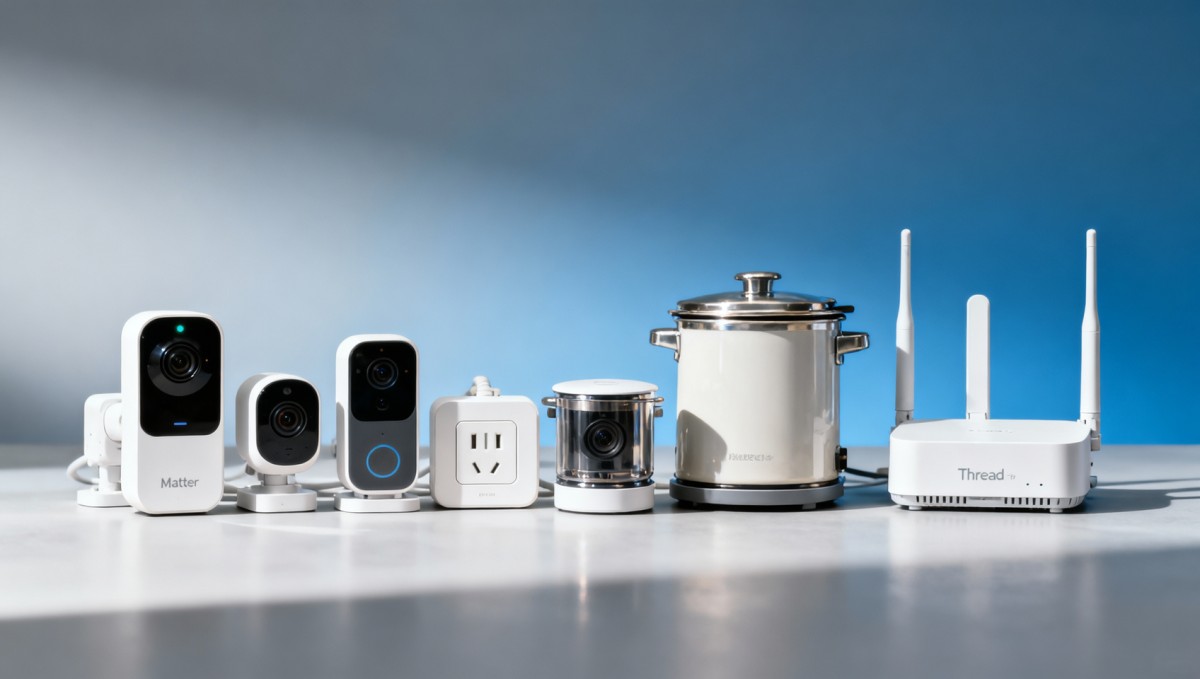
The biggest misconception is that a device labeled “Matter compatible” will work flawlessly in every environment. In practice, most setup failures come from gaps between certification, network conditions, ecosystem support, firmware status, and installation workflow. For enterprise buyers, installers, and technical evaluators, this means setup reliability should be assessed as a system issue, not just a device issue.
In most cases, setup problems with matter compatible devices are caused by one or more of the following:
- Outdated firmware on the device, controller, hub, router, or mobile app
- Incomplete support for the specific Matter device type in the chosen platform
- Poor Wi-Fi, Thread, or border router conditions during commissioning
- Conflicts between legacy Zigbee, Wi-Fi, Bluetooth, and Matter onboarding processes
- Improper QR code, setup code, or account linking steps
- Weak supplier documentation and inconsistent post-sale support
For procurement teams and decision-makers, the key takeaway is simple: buying certified products is necessary, but not sufficient. Stable deployment depends on infrastructure readiness, ecosystem fit, and operational discipline.
What should buyers and project teams check before purchasing?
If your goal is to avoid setup issues before they happen, the most effective step is pre-purchase validation. Many deployment failures can be prevented by checking a short list of technical and commercial factors before selecting vendors.
Focus on these questions during product evaluation:
- Which Matter device type is supported? A brand may support Matter, but not the exact function you need at the platform level.
- Which ecosystems are officially supported? Confirm compatibility with Apple Home, Google Home, Amazon Alexa, Samsung SmartThings, or enterprise management layers where relevant.
- Does the device require Thread, Wi-Fi, Ethernet, or a specific border router? Network assumptions often cause field problems.
- How often does the supplier release firmware updates? Strong update discipline usually signals better long-term reliability.
- Is onboarding documentation clear for installers and end users? Poor documentation increases support tickets and installation variance.
- Has the vendor proven interoperability in mixed-device environments? This matters especially when combining smart security cameras, smart kitchen appliances, and smart plugs from different brands.
For distributors, resellers, and sourcing managers, it is also wise to request pilot data, known limitation lists, and escalation procedures. A low-cost device with weak integration support can create much higher total ownership costs than a premium but stable alternative.
How can you reduce installation errors during commissioning?
Commissioning is where many matter compatible devices fail, even when the product itself is sound. A standardized setup workflow is the best defense against repeat issues across sites, teams, and product categories.
Use this practical installation checklist:
- Update everything first. Before pairing begins, update device firmware, controller apps, gateways, border routers, and mobile operating systems.
- Verify the target ecosystem. Make sure the ecosystem you are using already supports the exact device class and feature set.
- Prepare the network environment. Confirm signal strength, DHCP availability, VLAN policy, firewall rules, and Thread border router visibility if Thread is involved.
- Reset devices properly. Residual pairing data from factory tests or prior installs can block successful onboarding.
- Use the correct setup credentials. Scan the official Matter QR code or enter the setup code carefully, and avoid mixing packaging labels from multiple units.
- Pair near the intended network path. Initial onboarding can fail if the installer is too far from the access point or Thread border router.
- Document each successful setup condition. Record firmware version, app version, network type, and controller used for repeatability.
This matters even more for larger rollouts. Project managers and engineering leads should treat commissioning as a controlled process, not a casual consumer-style setup task.
What network conditions matter most for stable Matter deployment?
Even strong products struggle in weak network environments. Because Matter may operate over Wi-Fi, Ethernet, or Thread, infrastructure quality directly affects setup success and long-term stability.
The most important network considerations include:
- Reliable local connectivity: Matter emphasizes local communication, so LAN quality matters more than many teams expect.
- Thread border router readiness: For Thread-based devices, the border router is not optional. Performance depends on proper placement and support.
- Low interference: Congested 2.4 GHz environments can disrupt onboarding and operation, especially in mixed Zigbee and Wi-Fi installations.
- Consistent IP and multicast behavior: Discovery failures often result from restrictive network settings rather than defective devices.
- Segmentation policy: Security teams may isolate IoT devices, but overly strict rules can break commissioning and control flows.
For quality control and safety managers, the practical lesson is that device compatibility claims should always be tested under the real network conditions of the deployment site. Lab success does not guarantee field success.
How do mixed ecosystems and legacy devices create hidden compatibility risks?
Many buyers do not deploy Matter in a clean, all-new environment. They deploy it into sites already using Zigbee smart plugs, older Wi-Fi appliances, cloud-dependent cameras, or brand-specific apps. That mixed reality is where avoidable setup issues often appear.
Common risks include:
- Installers using the brand app first, then trying to add the same device into a Matter ecosystem later
- Assuming a legacy Zigbee product and a newer Matter product behave the same way operationally
- Expecting all advanced features to transfer through Matter when only core functions are currently supported
- Running overlapping automation logic across multiple platforms, causing inconsistent behavior
This is especially relevant for technical assessment teams and business evaluators. Matter improves interoperability, but it does not eliminate platform-specific limitations. Buyers should verify what functions are available through Matter, what still depends on native apps, and what compromises may affect user experience.
What should enterprise buyers ask suppliers to avoid post-sale setup problems?
Supplier quality has a direct impact on deployment success. A good product with poor support can become a costly operational burden. Before approving a vendor, buyers should assess not just hardware specifications but also implementation maturity.
Key supplier questions include:
- Can you provide official Matter certification details and supported device types?
- What controllers, hubs, and ecosystems have been validated in real deployments?
- What are the known setup limitations or unsupported scenarios?
- How are firmware updates delivered, and what is the update frequency?
- What installer documentation, API documentation, and support channels are available?
- What is the average resolution time for onboarding or interoperability issues?
- Do you provide sample units for pilot testing in customer network conditions?
For financial approvers and senior decision-makers, these questions help measure risk exposure. Products with stronger onboarding support, clearer lifecycle maintenance, and better ecosystem validation usually produce lower service costs and higher customer satisfaction over time.
How can teams build a lower-risk rollout strategy?
If setup reliability matters, avoid full-scale deployment without a phased validation plan. The most effective strategy is to move from controlled testing to limited pilot rollout and then to broader implementation.
A lower-risk rollout model usually includes:
- Bench testing: Validate device onboarding in a controlled environment with the intended ecosystems.
- Site pilot: Test under real signal, interference, and user conditions.
- Failure logging: Track every setup issue by firmware version, network profile, and installer step.
- Installer training: Standardize reset methods, app flow, and troubleshooting steps.
- Approved device lists: Limit deployment to tested combinations of controller, border router, app version, and firmware release.
This approach is especially valuable for distributors, integrators, and enterprise program managers who need predictable deployment outcomes across multiple locations or customer accounts.
Final takeaway: avoiding setup issues starts before installation
If you want to avoid setup issues with matter compatible devices, the most important move is to stop treating compatibility as a simple yes-or-no label. Successful deployment depends on the match between device type, ecosystem support, firmware maturity, network conditions, supplier capability, and installer process.
For buyers, this means evaluating total deployment readiness rather than just price or product claims. For technical teams, it means using repeatable commissioning workflows and testing in real-world conditions. For business leaders, it means recognizing that setup reliability affects support cost, brand trust, and long-term ROI.
Matter can reduce fragmentation, but only when implementation is disciplined. The teams that get the best results are the ones that validate early, pilot carefully, and buy from vendors with proven interoperability and strong post-sale support.
Get weekly intelligence in your inbox.
No noise. No sponsored content. Pure intelligence.
 Apr 27, 2026Algeria’s Oil & Steel FDI Push Opens Valve, Corrosion-Resistant Material OrdersAlgeria’s Oil & Steel FDI Push Opens Valve, Corrosion-Resistant Material Orders
 Apr 27, 2026Azerbaijan’s New PV Mounting Standard Opens Path for Chinese SuppliersAzerbaijan’s New PV Mounting Standard Opens Path for Chinese Suppliers
 Apr 27, 2026Fitch Cuts East Africa Growth Forecasts, Raises Cross-Border Trade RisksFitch Cuts East Africa Growth Forecasts, Raises Cross-Border Trade Risks
 Apr 27, 2026ADB Raises Vietnam GDP Forecast to 7.2% on Electronics Export GrowthADB Raises Vietnam GDP Forecast to 7.2% on Electronics Export Growth
 Apr 27, 2026Maine Halts Large Data Centers: AI Server Export ImpactMaine Halts Large Data Centers: AI Server Export Impact
 Apr 27, 2026OFID $500M for Côte d'Ivoire: Boost to Factory Automation & Warehouse RoboticsOFID $500M for Côte d'Ivoire: Boost to Factory Automation & Warehouse Robotics
 Apr 27, 2026Morocco Ranks 4th in EU Energy Aid to AfricaMorocco Ranks 4th in EU Energy Aid to Africa
 Apr 27, 2026UAE Emerges as Global AI Hub, Opening Fast-Track for Chinese Smart DevicesUAE Emerges as Global AI Hub, Opening Fast-Track for Chinese Smart Devices
") Apr 26, 2026China Releases Green Design Guidelines for Industrial Products (2026)China Releases Green Design Guidelines for Industrial Products (2026)
Apr 26, 2026China Releases Green Design Guidelines for Industrial Products (2026)China Releases Green Design Guidelines for Industrial Products (2026) Apr 26, 2026ANATEL Mandates Portuguese Offline Voice Assistant for Smart Home Devices in BrazilANATEL Mandates Portuguese Offline Voice Assistant for Smart Home Devices in Brazil
 Apr 26, 2026Vietnam Enforces Bilingual Safety Labels for Electronic Components from Apr 22, 2026Vietnam Enforces Bilingual Safety Labels for Electronic Components from Apr 22, 2026
 Apr 26, 2026Japan Updates JIS for Rehab Devices: IEC 62366-1:2024 RequiredJapan Updates JIS for Rehab Devices: IEC 62366-1:2024 Required
 Apr 26, 2026THE Alliance Cuts Ningbo–Rotterdam Transit to 18 Days, Spot Rates Up 35%THE Alliance Cuts Ningbo–Rotterdam Transit to 18 Days, Spot Rates Up 35%
 Apr 26, 2026India BIS Mandates PLC & HMI Certification under IS 13252:2025 by Oct 2026India BIS Mandates PLC & HMI Certification under IS 13252:2025 by Oct 2026
") Apr 26, 2026SASO Enforces New EV Charger Rules in Saudi Arabia (2026)SASO Enforces New EV Charger Rules in Saudi Arabia (2026)
Apr 26, 2026SASO Enforces New EV Charger Rules in Saudi Arabia (2026)SASO Enforces New EV Charger Rules in Saudi Arabia (2026) Apr 26, 2026TÜV Rheinland Updates IoT EMC Guidelines: AI Edge Modules Now Mandatory for Immunity TestingTÜV Rheinland Updates IoT EMC Guidelines: AI Edge Modules Now Mandatory for Immunity Testing
 Apr 26, 2026USTR Launches First Annual Review of China Solar PV AD/CVD OrdersUSTR Launches First Annual Review of China Solar PV AD/CVD Orders
 Apr 26, 2026EU New Battery Regulation Fully Enforced Apr 24, 2026EU New Battery Regulation Fully Enforced Apr 24, 2026
 Apr 25, 2026Vietnam Enforces CN-EN Bilingual Safety Labels on Electronic Components from Apr 22, 2026Vietnam Enforces CN-EN Bilingual Safety Labels on Electronic Components from Apr 22, 2026
 Apr 25, 2026ANATEL Mandates Portuguese Offline Voice Assistants for Smart Home Devices in BrazilANATEL Mandates Portuguese Offline Voice Assistants for Smart Home Devices in Brazil
 Apr 25, 2026India BIS Mandates IS 13252:2025 for PLCs & HMIs by Oct 2026India BIS Mandates IS 13252:2025 for PLCs & HMIs by Oct 2026
 Apr 25, 2026SASO EV Charger Rules: Grid Compatibility & Sand Resistance RequiredSASO EV Charger Rules: Grid Compatibility & Sand Resistance Required
 Apr 25, 2026JIS T 0011:2026 Enforces IEC 62366-1:2024 for Rehab Devices in JapanJIS T 0011:2026 Enforces IEC 62366-1:2024 for Rehab Devices in Japan
 Apr 25, 2026THE Alliance Cuts Ningbo–Rotterdam Transit to 18 Days, +35% Spot RateTHE Alliance Cuts Ningbo–Rotterdam Transit to 18 Days, +35% Spot Rate
 Apr 25, 2026TÜV Rheinland Updates IoT EMC Standard: AI Edge Module Immunity Now MandatoryTÜV Rheinland Updates IoT EMC Standard: AI Edge Module Immunity Now Mandatory
 Apr 25, 2026USTR Launches Five-Year China Solar PV AD/CVD ReviewUSTR Launches Five-Year China Solar PV AD/CVD Review
 Apr 25, 2026EU New Battery Regulation Enters Force Apr 24, 2026EU New Battery Regulation Enters Force Apr 24, 2026