What to check before buying zigbee smart plugs
Before investing in zigbee smart plugs, buyers should verify hub compatibility, load capacity, energy monitoring accuracy, app stability, and security certifications. For teams comparing matter compatible devices, video doorbells, smart security cameras, or even smart kitchen appliances, the right checklist reduces deployment risk, hidden costs, and integration failures. This guide outlines the key technical and commercial factors every evaluator should review before purchase.
For B2B buyers, a zigbee smart plug is not just a convenience device. It can become part of a wider building control strategy, energy management program, retail automation rollout, or connected appliance ecosystem. That means selection errors can affect device uptime, support costs, data visibility, and even electrical safety across dozens or hundreds of endpoints.
Procurement teams, technical evaluators, facility operators, distributors, and project managers usually look beyond price. They need to confirm whether a plug can handle real operating loads, pair reliably with an existing hub, report energy data with acceptable accuracy, and meet deployment timelines of 2–8 weeks. The checkpoints below are designed to help each stakeholder make a lower-risk decision.
Start with protocol fit, hub compatibility, and deployment architecture
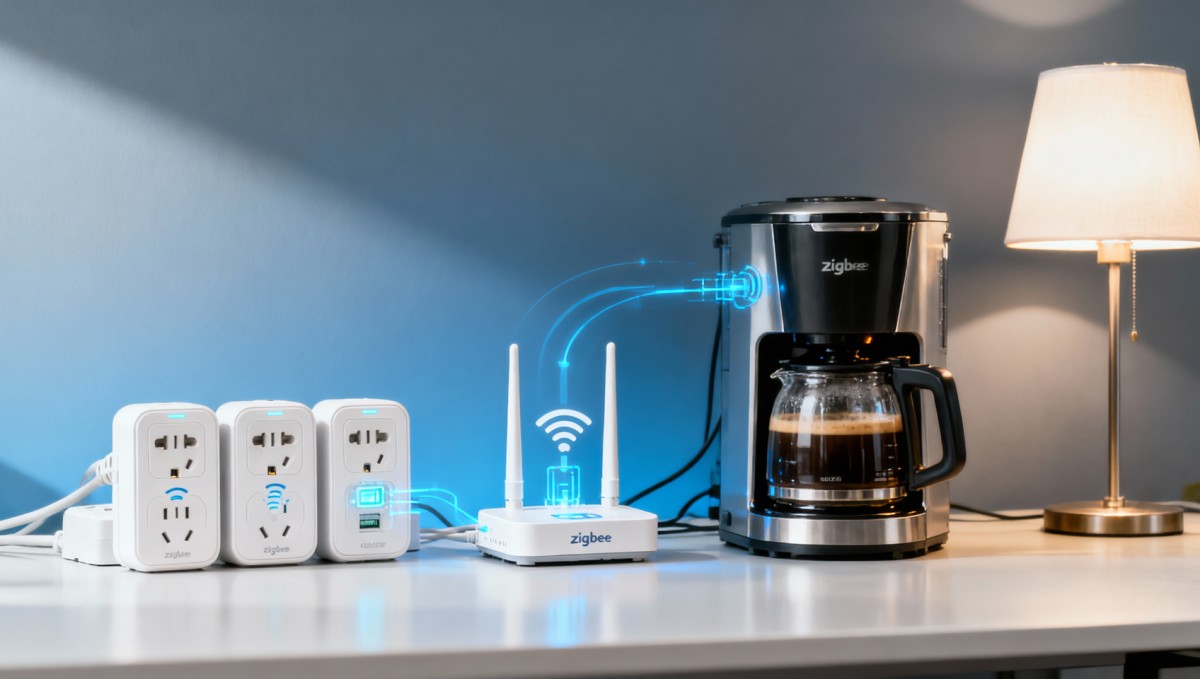
The first issue to check before buying zigbee smart plugs is whether the device fits the actual network architecture. Many buyers assume “Zigbee” guarantees universal interoperability, but that is only partially true. A plug may support Zigbee 3.0 and still perform differently depending on the hub, firmware version, device driver library, and cloud policy used in the target environment.
In commercial settings, compatibility matters more when the smart plug will be deployed alongside motion sensors, gateways, HVAC controllers, lighting nodes, or matter compatible devices. If a site already uses one hub family, adding a plug that requires a second bridge can increase installation time by 20%–40% and create support complexity that finance teams often underestimate during early sourcing.
Technical reviewers should verify at least 4 layers of compatibility: radio protocol, hub certification, app support, and automation logic support. Some products can turn on and off through a hub but do not expose power metering, scheduling, overload alerts, or scene participation. In enterprise pilots, those missing functions often appear only after the first 10–20 units have already been installed.
Key questions for network and platform validation
A structured pre-purchase review prevents integration surprises. Ask vendors whether the plug supports local control, OTA firmware updates, and fallback behavior during internet loss. In warehouses, clinics, hospitality projects, and multi-room office environments, these details can determine whether a plug remains operational during outages of 5 minutes or 5 hours.
- Does the plug support Zigbee 3.0 or an earlier profile with reduced interoperability?
- Has it been tested with the exact hub or gateway already used at the site?
- Can energy data, schedules, and automation rules be accessed through the same app or dashboard?
- Does the supplier provide firmware maintenance for at least 12–24 months?
- Will the device still switch safely if cloud access is interrupted?
Buyers comparing Zigbee and Matter should also look at transition planning. If the organization expects mixed ecosystems over the next 1–3 years, it is useful to ask whether the supplier has a roadmap for matter compatible devices, cross-platform APIs, or hybrid gateway strategies. This does not mean Zigbee is outdated; it means the procurement team should align current purchases with future system direction.
Compatibility review checklist
The table below summarizes practical points that procurement and engineering teams should confirm before approving a shortlisted zigbee smart plug.
The main takeaway is simple: a zigbee smart plug should be evaluated as part of a system, not as a standalone accessory. The lower the integration friction, the lower the long-term service burden for IT, facility, and operations teams.
Check electrical ratings, load profile, and safety margin
One of the most costly mistakes in smart plug sourcing is assuming the maximum rated current matches real-world operating conditions. A zigbee smart plug might be labeled for 10A, 13A, or 16A, but that does not automatically mean it is suitable for heaters, coffee machines, lab devices, display lighting banks, or refrigeration support equipment with startup surges.
Procurement and quality teams should ask for rated voltage, maximum continuous current, resistive versus inductive load guidance, operating temperature range, and over-temperature protection behavior. For example, a plug rated at 16A on paper may still require derating when used continuously above 30°C or inside enclosed cabinets where heat cannot dissipate efficiently.
Commercial users often face mixed load conditions. Retail chains may connect digital signage and seasonal appliances. Offices may switch kettles, air purifiers, or desk-side devices. Hospitality and serviced apartments may power lamps, fans, or smart kitchen appliances. Each use case creates different duty cycles, from short 15-minute loads to near-continuous 8–12 hour operation.
Electrical review points that should not be skipped
A good sourcing specification should define not only nominal load, but also peak inrush current, expected daily runtime, and environment type. If a device will switch motors, compressors, or transformer-based equipment, ask whether the relay has been validated for those switching conditions. This can help avoid relay welding, false trips, or shortened service life after only a few thousand cycles.
- List the connected appliance wattage and convert it to expected current at local voltage.
- Add a safety buffer of at least 20% for continuous use cases.
- Identify any surge-heavy devices such as pumps, heaters, or mini-compressors.
- Check whether the socket standard, grounding format, and enclosure material fit local compliance needs.
For larger rollouts, ask the supplier for a sample test window of 7–14 days using your actual load mix. A short field trial reveals more than a specification sheet, especially when teams need to compare contact temperature, connectivity drop rate, and schedule reliability during real occupancy hours.
Typical load assessment guide
The following table shows why the same smart plug may be suitable for one application but risky for another.
This comparison shows why product selection should be matched to the actual appliance category. A plug used for low-power electronics may work flawlessly, while the same unit may not be the right choice for heat-generating or surge-prone equipment.
Evaluate energy monitoring, software stability, and data usefulness
Many buyers specifically choose a zigbee smart plug for energy visibility, but not all energy monitoring functions are equal. Some devices provide only rough wattage snapshots. Others offer accumulated kWh data, history exports, automation triggers, or anomaly alerts. If the goal is cost control, maintenance insight, or tenant billing support, these differences matter immediately.
A practical benchmark is to ask how the supplier defines measurement accuracy and under what conditions. For light commercial applications, buyers often look for clearly stated tolerance such as within ±2% to ±5% under specified voltage and load ranges. If no accuracy range is disclosed, the device may be suitable only for convenience monitoring, not for operational analysis.
Software stability deserves equal attention. In many projects, the biggest complaint is not hardware failure but app inconsistency: delayed status refresh, unreliable scene execution, unstable notifications, or poor multi-user permissions. These issues can turn a promising pilot into a support burden within 30–60 days of rollout.
Questions that help separate consumer-grade from deployment-ready products
If your team needs measurable value from connected plugs, ask what reporting interval is available, whether data can be exported, and how long historical records are retained. Some products only show daily totals. Others support 30-day, 90-day, or longer views. For procurement managers building an ROI case, history depth and export options can be as important as the hardware itself.
- Can the dashboard show live power, daily energy, and monthly consumption?
- Is the reading accurate enough for trend analysis rather than only rough reference?
- Can alerts be triggered when a device exceeds a threshold such as 500W or 1kWh per day?
- Does the app support role-based access for operators, managers, and administrators?
- Are there API or platform integration options for wider building systems?
Teams comparing zigbee smart plugs with smart security cameras or video doorbells often overlook one difference: a plug may appear simpler, but its value depends heavily on repeatable software behavior. A camera can still record if viewed infrequently. A smart plug used in automation workflows must execute commands correctly every day, often multiple times per day across many outlets.
What good data should support in practice
When energy monitoring is credible and accessible, different teams can use the same data for different purposes:
- Operations teams can identify devices left on overnight for 10–12 unnecessary hours.
- Project managers can compare pilot locations and refine standard load assumptions.
- Finance approvers can estimate whether the smart plug project pays back within 6–18 months.
- Service teams can detect abnormal power patterns that may signal appliance wear.
If those outcomes are important, insist on demo access, screenshots of reporting views, or a supervised proof-of-concept before volume commitment. It is much easier to reject weak data tools in the sample stage than after enterprise-wide deployment.
Verify certifications, cybersecurity controls, and supplier readiness
A zigbee smart plug may look identical across vendors, yet the quality gap can be significant. Safety and compliance should therefore be reviewed from both product and supplier angles. Buyers should confirm relevant electrical safety marks for the destination market, material quality, labeling clarity, packaging consistency, and the presence of traceable documentation for batch control.
Cybersecurity is another essential checkpoint, especially when plugs are deployed in offices, healthcare-adjacent spaces, education buildings, or shared networks. Ask whether communications are encrypted, how credentials are handled, whether the product receives security patches, and how quickly critical vulnerabilities are addressed. A response window of several weeks may be too slow for some enterprise environments.
Commercial readiness includes support responsiveness, sample lead time, packaging options, and after-sales procedure. A technically decent device can still become a poor procurement choice if replacement handling is unclear, if lead times stretch from 2 weeks to 10 weeks without notice, or if the supplier cannot support quality claims with documentation.
Due diligence points for procurement and quality teams
Before issuing a purchase order, build a review pack that covers safety, software, and supply continuity. This is especially useful for distributors, resellers, and project integrators that need to reduce return rates and protect downstream reputation.
The strongest suppliers do not simply state that a product is compliant or secure. They can explain scope, provide current documentation, and clarify support boundaries. That level of preparedness is often a better predictor of project success than headline pricing alone.
Build a commercial checklist: cost, pilot process, and rollout planning
Once technical fit is confirmed, the final buying decision should include total deployment logic. A low unit price may still become expensive if pairing takes 12 minutes per device instead of 3 minutes, if the app requires separate account handling for each site, or if failed units cannot be replaced through a clear RMA process. Total cost should include installation labor, support overhead, packaging suitability, and future scalability.
For projects above 50 units, a phased rollout is usually safer than a single bulk order. Start with a pilot of 5–20 units, test for at least 2 operating cycles or 2 weeks, review data quality and command reliability, then move to a broader deployment. This approach helps project owners catch hidden issues before they affect multiple sites or customer-facing operations.
Distributors and commercial buyers should also check carton configuration, private labeling needs, local plug standards, and expected reorder cadence. If seasonal demand is involved, confirm whether lead time remains stable during peak periods. A difference between 15 days and 45 days can determine whether a project launches on time or misses its installation window.
A practical B2B purchase workflow
The following 5-step process is a useful model for teams that need to compare multiple suppliers without slowing the decision cycle too much:
- Define application groups by load type, runtime, and network environment.
- Request a technical compliance pack and compatibility confirmation.
- Run a pilot with real devices for 7–14 days.
- Score suppliers on safety, data quality, app stability, and support response.
- Release phased purchase orders tied to acceptance criteria and replacement terms.
This process works well for enterprise buyers, installers, and resellers because it balances technical caution with commercial speed. It also creates documentation that finance and executive teams can review when approving a broader rollout.
FAQ for buyers comparing options
Several questions come up repeatedly during evaluation, especially when teams are comparing zigbee smart plugs with other connected devices in a broader smart electronics portfolio.
How many test units should a business pilot first?
For a single site, 5–10 units is usually enough to test pairing, control stability, and data behavior. For multi-site programs, 10–20 units across 2 or 3 representative environments gives a more realistic view of network conditions and operator usage patterns.
Are all energy-monitoring plugs suitable for cost accounting?
No. Some are suitable only for trend visibility. If energy data will influence billing, savings calculations, or equipment decisions, confirm the accuracy range, sampling logic, and export method before purchase.
What is the most common selection mistake?
The most common mistake is choosing by price and headline current rating alone. Compatibility gaps, weak app stability, and poor relay fit for the actual load often create bigger costs than the original unit price difference.
Choosing the right zigbee smart plug requires a balanced review of protocol fit, electrical limits, energy monitoring value, software reliability, safety documentation, and supplier readiness. When buyers verify these factors early, they reduce the risk of failed integrations, overheating incidents, inaccurate reporting, and delayed deployments.
For procurement leaders, technical reviewers, distributors, and project teams, a disciplined checklist delivers better outcomes than a fast but shallow comparison. If you need support evaluating connected device options across smart electronics, sourcing risk, or deployment planning, TradeNexus Pro can help you assess the market with sharper commercial and technical insight.
Contact us to discuss your sourcing criteria, request a tailored evaluation framework, or explore broader smart device procurement strategies for your next project.
Get weekly intelligence in your inbox.
No noise. No sponsored content. Pure intelligence.
 Apr 27, 2026Algeria’s Oil & Steel FDI Push Opens Valve, Corrosion-Resistant Material OrdersAlgeria’s Oil & Steel FDI Push Opens Valve, Corrosion-Resistant Material Orders
 Apr 27, 2026Azerbaijan’s New PV Mounting Standard Opens Path for Chinese SuppliersAzerbaijan’s New PV Mounting Standard Opens Path for Chinese Suppliers
 Apr 27, 2026Fitch Cuts East Africa Growth Forecasts, Raises Cross-Border Trade RisksFitch Cuts East Africa Growth Forecasts, Raises Cross-Border Trade Risks
 Apr 27, 2026ADB Raises Vietnam GDP Forecast to 7.2% on Electronics Export GrowthADB Raises Vietnam GDP Forecast to 7.2% on Electronics Export Growth
 Apr 27, 2026Maine Halts Large Data Centers: AI Server Export ImpactMaine Halts Large Data Centers: AI Server Export Impact
 Apr 27, 2026OFID $500M for Côte d'Ivoire: Boost to Factory Automation & Warehouse RoboticsOFID $500M for Côte d'Ivoire: Boost to Factory Automation & Warehouse Robotics
 Apr 27, 2026Morocco Ranks 4th in EU Energy Aid to AfricaMorocco Ranks 4th in EU Energy Aid to Africa
 Apr 27, 2026UAE Emerges as Global AI Hub, Opening Fast-Track for Chinese Smart DevicesUAE Emerges as Global AI Hub, Opening Fast-Track for Chinese Smart Devices
") Apr 26, 2026China Releases Green Design Guidelines for Industrial Products (2026)China Releases Green Design Guidelines for Industrial Products (2026)
Apr 26, 2026China Releases Green Design Guidelines for Industrial Products (2026)China Releases Green Design Guidelines for Industrial Products (2026) Apr 26, 2026ANATEL Mandates Portuguese Offline Voice Assistant for Smart Home Devices in BrazilANATEL Mandates Portuguese Offline Voice Assistant for Smart Home Devices in Brazil
 Apr 26, 2026Vietnam Enforces Bilingual Safety Labels for Electronic Components from Apr 22, 2026Vietnam Enforces Bilingual Safety Labels for Electronic Components from Apr 22, 2026
 Apr 26, 2026Japan Updates JIS for Rehab Devices: IEC 62366-1:2024 RequiredJapan Updates JIS for Rehab Devices: IEC 62366-1:2024 Required
 Apr 26, 2026THE Alliance Cuts Ningbo–Rotterdam Transit to 18 Days, Spot Rates Up 35%THE Alliance Cuts Ningbo–Rotterdam Transit to 18 Days, Spot Rates Up 35%
 Apr 26, 2026India BIS Mandates PLC & HMI Certification under IS 13252:2025 by Oct 2026India BIS Mandates PLC & HMI Certification under IS 13252:2025 by Oct 2026
") Apr 26, 2026SASO Enforces New EV Charger Rules in Saudi Arabia (2026)SASO Enforces New EV Charger Rules in Saudi Arabia (2026)
Apr 26, 2026SASO Enforces New EV Charger Rules in Saudi Arabia (2026)SASO Enforces New EV Charger Rules in Saudi Arabia (2026) Apr 26, 2026TÜV Rheinland Updates IoT EMC Guidelines: AI Edge Modules Now Mandatory for Immunity TestingTÜV Rheinland Updates IoT EMC Guidelines: AI Edge Modules Now Mandatory for Immunity Testing
 Apr 26, 2026USTR Launches First Annual Review of China Solar PV AD/CVD OrdersUSTR Launches First Annual Review of China Solar PV AD/CVD Orders
 Apr 26, 2026EU New Battery Regulation Fully Enforced Apr 24, 2026EU New Battery Regulation Fully Enforced Apr 24, 2026
 Apr 25, 2026Vietnam Enforces CN-EN Bilingual Safety Labels on Electronic Components from Apr 22, 2026Vietnam Enforces CN-EN Bilingual Safety Labels on Electronic Components from Apr 22, 2026
 Apr 25, 2026ANATEL Mandates Portuguese Offline Voice Assistants for Smart Home Devices in BrazilANATEL Mandates Portuguese Offline Voice Assistants for Smart Home Devices in Brazil
 Apr 25, 2026India BIS Mandates IS 13252:2025 for PLCs & HMIs by Oct 2026India BIS Mandates IS 13252:2025 for PLCs & HMIs by Oct 2026
 Apr 25, 2026SASO EV Charger Rules: Grid Compatibility & Sand Resistance RequiredSASO EV Charger Rules: Grid Compatibility & Sand Resistance Required
 Apr 25, 2026JIS T 0011:2026 Enforces IEC 62366-1:2024 for Rehab Devices in JapanJIS T 0011:2026 Enforces IEC 62366-1:2024 for Rehab Devices in Japan
 Apr 25, 2026THE Alliance Cuts Ningbo–Rotterdam Transit to 18 Days, +35% Spot RateTHE Alliance Cuts Ningbo–Rotterdam Transit to 18 Days, +35% Spot Rate
 Apr 25, 2026TÜV Rheinland Updates IoT EMC Standard: AI Edge Module Immunity Now MandatoryTÜV Rheinland Updates IoT EMC Standard: AI Edge Module Immunity Now Mandatory
 Apr 25, 2026USTR Launches Five-Year China Solar PV AD/CVD ReviewUSTR Launches Five-Year China Solar PV AD/CVD Review
 Apr 25, 2026EU New Battery Regulation Enters Force Apr 24, 2026EU New Battery Regulation Enters Force Apr 24, 2026