LED displays for retail spaces: brightness is not the only issue
When planning LED displays for retail spaces, project leaders must look beyond headline brightness specs. Viewing distance, ambient light, pixel pitch, maintenance access, energy use, and content strategy all shape real-world performance and ROI. This article explores how to evaluate led displays with a practical, engineering-minded approach that supports smoother delivery, stronger shopper engagement, and more reliable long-term results.
For project managers and engineering leads, the problem is rarely choosing the brightest screen on a datasheet. The real challenge is specifying LED displays that fit the store format, the operating hours, the installation constraints, and the commercial objective. A flagship window display, a shelf-edge digital strip, and a high-mounted in-store branding wall may all require very different technical decisions even when they sit inside the same retail program.
In B2B procurement, poor display planning often shows up later as cost overruns, delayed handover, difficult maintenance, or underwhelming shopper engagement. A display that looks impressive in a demo room can fail in a 12-hour daily retail environment if heat management, service access, and content workflow were not defined early. That is why retail LED decisions should be treated as an integrated project scope, not a single hardware purchase.
Why brightness alone is an incomplete specification
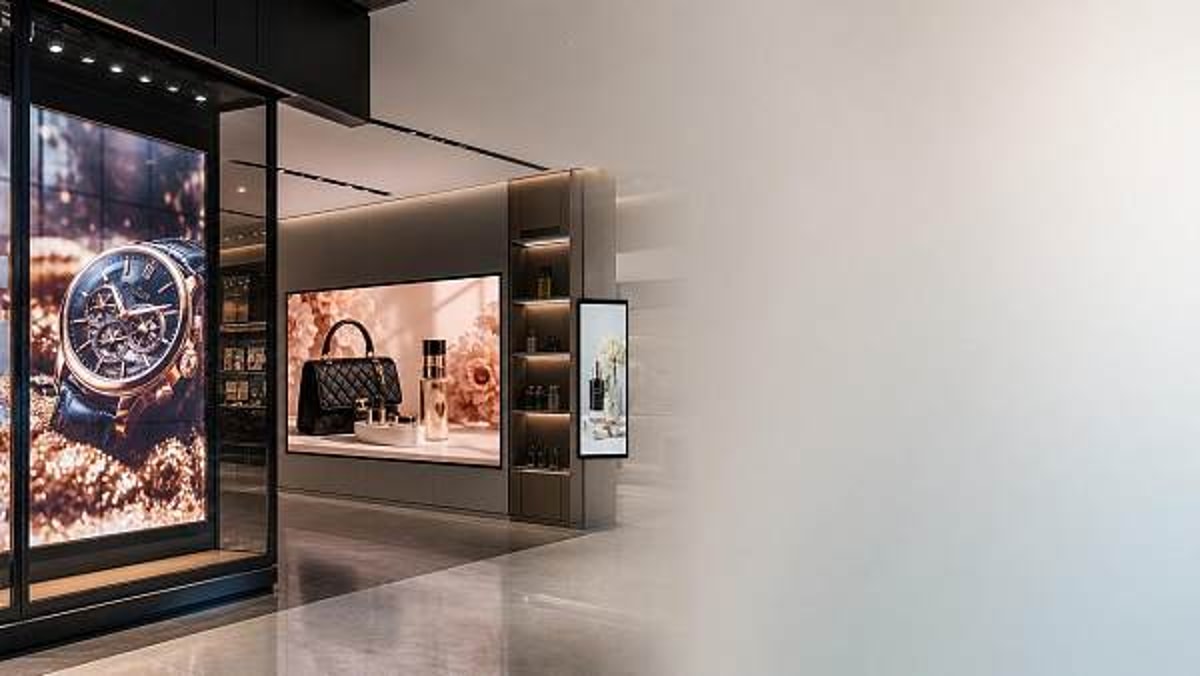
Brightness matters, but only within context. In retail settings, the difference between 800 nits, 1,200 nits, and 3,500 nits only becomes meaningful when tied to ambient light, glazing, viewing angle, and content contrast. Many indoor LED displays perform well in the 600-1,200 nit range, while window-facing installations exposed to daylight may need 2,500-5,000 nits depending on glass reflection and solar load.
A common mistake is to specify the highest brightness available without assessing its impact on energy draw, heat, and visual comfort. Excess brightness can wash out lighter content, create glare at short viewing distances, and increase power consumption over 10-14 operating hours per day. In premium retail, perceived image quality often depends more on contrast management and content calibration than on absolute luminance.
Retail environments create different visual demands
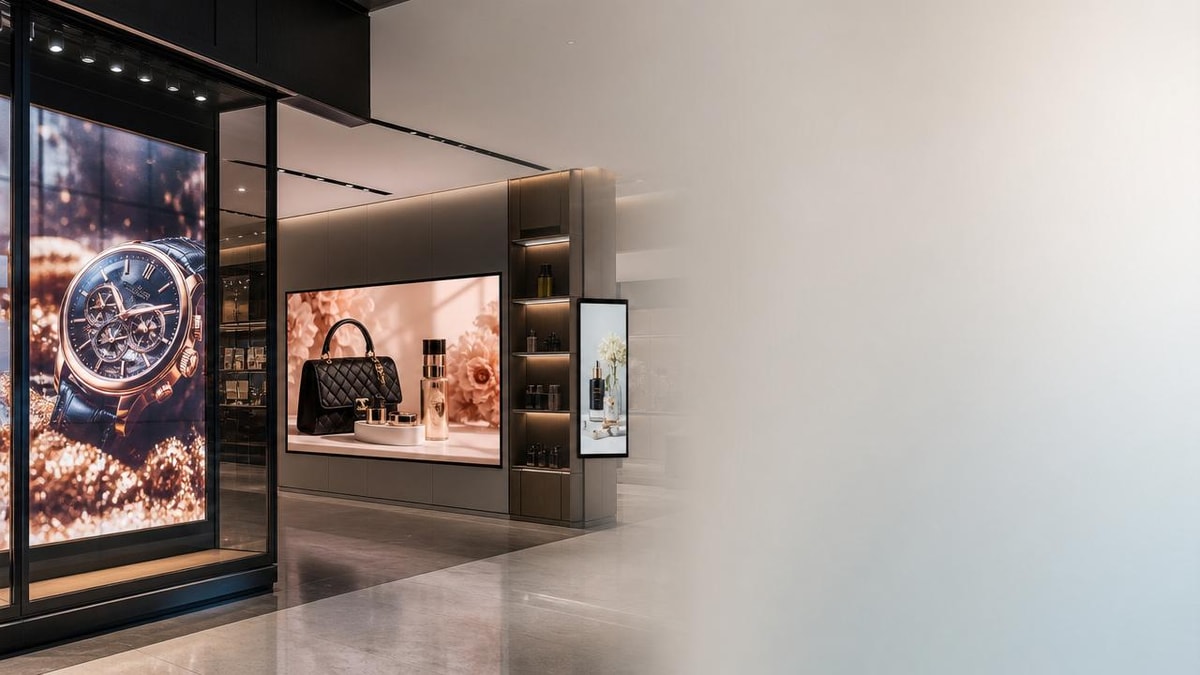
Project teams should separate retail applications into at least 3 practical categories: enclosed indoor areas, shopfront window zones, and semi-outdoor or mall frontage installations. Each category changes the right balance between brightness, pixel pitch, cabinet design, and protective rating. A single specification template rarely works across all three.
- Indoor product storytelling walls: usually prioritize fine pixel pitch, color consistency, and low noise.
- Street-facing window displays: require stronger brightness, anti-reflection planning, and thermal control.
- Promotional endcaps or temporary installations: prioritize fast deployment, modularity, and service simplicity.
The table below helps compare which performance variables matter most in common retail use cases. This is useful during early scoping, especially before tender documentation is locked.
The main takeaway is straightforward: the best LED displays are not defined by a single top-line number. They are defined by fit-for-purpose performance under real retail conditions. For project leaders, that means technical review should begin with scenario mapping, not brochure comparison.
Pixel pitch, distance, and content type must be matched
Pixel pitch is often more important than brightness for close-range retail viewing. As a rough planning rule, pitches in the 1.2-1.9 mm range suit premium indoor applications viewed from about 1.5-4 meters, while 2.5-3.9 mm may be sufficient for larger-format displays viewed from 4-10 meters. Overspecifying fine pitch can inflate capital cost by 20-40% without delivering meaningful visual benefit at longer distances.
Content format matters as well. Full-motion brand films, product hero images, price promotions, and dynamic wayfinding all stress the display differently. Thin fonts, small QR codes, and high-detail beauty or fashion content require tighter pitch and better calibration than large promotional numerals or ambient motion graphics.
Three design questions to ask before finalizing the spec
- Will shoppers view the display mostly from 1-3 meters, 3-6 meters, or beyond 6 meters?
- Will the content be mostly video, text-led offers, or mixed media with product detail?
- Will the display operate in stable indoor lighting or shifting daylight conditions across 8-14 hours daily?
These three questions reduce specification errors early. They also help procurement teams compare LED displays using performance logic rather than supplier marketing language.
How to evaluate LED displays as a full project system
For engineering-minded buyers, LED displays should be assessed as a system that includes structure, power, ventilation, controls, access, and service planning. In many retail fit-outs, the display itself is only one layer of a broader delivery package involving shopfitting, MEP coordination, data connectivity, and content operations. Weak integration between these teams often causes the biggest delays.
Mechanical and service access planning
Maintenance access is a major issue in retail LED deployments, especially where back-of-wall space is limited to 400-800 mm or where neighboring fixtures block rear entry. Front-service modules can reduce intervention time, but they also require careful allowance for safe removal, tool clearance, and replacement workflow. If one failed module takes 45 minutes to access instead of 10 minutes, service cost compounds quickly across a multi-site rollout.
Project teams should define at least 4 access checks during design review: module removal path, power isolation method, controller access, and technician working clearance. These details are often overlooked until site installation, when changes are expensive and disruptive to trading schedules.
Power, heat, and operating cost
Higher brightness generally means higher power demand, but real consumption varies with content, dimming schedules, and screen area. For planning purposes, project managers should ask for both maximum and typical power figures, not just peak values. A display running promotional content at 60-70% brightness for 12 hours daily may have a very different annual cost profile than one tested at full white in a lab.
Thermal performance also affects reliability. Poor ventilation can shorten component life, shift color uniformity, and trigger brightness throttling. In enclosed retail joinery, even a well-specified LED display can underperform if airflow paths, exhaust gaps, or room cooling loads were not considered during design coordination.
The matrix below gives project leaders a practical way to score LED displays before supplier nomination. It is not a universal standard, but it is effective for structured comparison across competing proposals.
This comparison framework helps procurement and technical teams align on total value. A lower purchase price can become a weaker business case if it creates more service visits, more downtime, or more redesign work at the fit-out stage.
Control systems and content workflow
Many retail LED projects are judged as much by content delivery as by hardware quality. If the CMS workflow is too complex, promotions go live late, local store teams make formatting errors, and the screen loses commercial relevance. For multi-location programs, project managers should confirm whether the content system supports centralized scheduling, local overrides, approval permissions, and remote diagnostics.
A good operating model typically includes 3 layers: central brand content, regional campaign adaptation, and store-level scheduling. This matters because LED displays create value only when content stays current. An expensive screen with stale visuals often underperforms a simpler system that supports weekly or even daily updates.
Practical content checks before handover
- Test text legibility at 2 distances, such as 2 meters and 5 meters.
- Validate brightness presets for daytime, evening, and promotional peak periods.
- Check that motion content does not create moiré or flicker in smartphone capture.
- Confirm upload, approval, and rollback procedures within the control platform.
Procurement risks, implementation steps, and long-term ROI
For B2B buyers, the success of LED displays depends on how well the project is procured and governed. Retail programs often involve compressed timelines of 6-12 weeks from approval to site readiness, especially in seasonal campaigns or store refresh cycles. In that environment, incomplete specifications and vague acceptance criteria can quickly become commercial risk.
Common procurement mistakes
One common error is evaluating LED displays by unit price without defining full scope. Another is accepting generic technical sheets that omit cabinet depth, service method, calibration process, spare parts expectations, or controller redundancy. A third is failing to set acceptance tests for brightness uniformity, dead pixels, color consistency, and content playback stability during the first 72 hours of operation.
Project managers should also confirm what support model applies after commissioning. Response time, remote troubleshooting, spare module lead time, and warranty boundaries all matter. If a key retail site cannot tolerate more than 24 hours of downtime, the service plan must reflect that operational reality.
A 5-step implementation path for smoother delivery
- Define the retail objective: branding, promotion, wayfinding, or mixed use.
- Map site conditions: light exposure, sightlines, structure, power, and ventilation.
- Shortlist LED displays by pitch, service method, and operating profile.
- Run sample content tests and installation coordination review before purchase order.
- Set commissioning, training, and maintenance responsibilities before go-live.
This 5-step sequence reduces surprises because it aligns commercial, technical, and operational teams early. It is especially valuable in multi-store deployments where repeating one design error across 20 or 50 locations can become costly.
How to think about ROI beyond screen cost
Return on investment for LED displays should include more than the hardware invoice. Project leaders should weigh energy use, maintenance visits, replacement module strategy, content production frequency, and the business value of better visibility or stronger shopper dwell time. In premium retail, even small gains in promotional responsiveness can justify a better-integrated display solution.
A practical ROI review often considers at least 4 dimensions: capital cost, annual operating cost, downtime risk, and content effectiveness. This approach is more useful than judging products on brightness alone because it captures total ownership over 3-5 years, which is the period many retailers use for digital fixture planning.
Questions decision-makers should ask suppliers
- What is the typical power draw under real retail content, not only maximum test conditions?
- How is front or rear maintenance handled in restricted site conditions?
- What spare parts strategy is recommended for 1 site, 10 sites, or 50 sites?
- What commissioning tests are included before operational handover?
- How quickly can failed modules or controllers be replaced in active trading environments?
Retail LED displays deliver stronger outcomes when engineering, procurement, and content planning are managed as one coordinated program. Brightness remains important, but it is only one variable among many that shape reliability, readability, and commercial impact. For project managers and engineering leads, the smarter path is to evaluate LED displays through viewing conditions, pixel pitch, service access, operating cost, and content workflow together.
If your team is comparing LED displays for retail fit-outs, multi-site rollouts, or brand environment upgrades, a structured assessment can reduce risk and improve long-term value. TradeNexus Pro supports decision-makers with deeper market insight, technical context, and supplier-side intelligence across smart electronics and connected retail infrastructure. Contact us to discuss your project scope, get a tailored evaluation framework, or explore more solution-focused guidance for your next deployment.
Get weekly intelligence in your inbox.
No noise. No sponsored content. Pure intelligence.
 May 05, 2026Inventory management systems that fix stock errors at the sourceInventory management systems that fix stock errors at the source
 May 05, 2026Medical disposables sourcing gets risky when prices drop too fastMedical disposables sourcing gets risky when prices drop too fast
 May 05, 2026Supply Chain Management gaps that create hidden inventory costsSupply Chain Management gaps that create hidden inventory costs
 May 05, 2026Why ERP software rollouts fail even with strong vendor supportWhy ERP software rollouts fail even with strong vendor support
 May 05, 2026Patient monitors: which features actually improve bedside responsePatient monitors: which features actually improve bedside response
 May 05, 2026Medical PPE shortages are easing, but quality gaps remainMedical PPE shortages are easing, but quality gaps remain
 May 05, 2026Portable oxygen concentrators: what matters beyond battery lifePortable oxygen concentrators: what matters beyond battery life
 May 05, 2026Medical diagnostic equipment buying mistakes that cost more laterMedical diagnostic equipment buying mistakes that cost more later
 May 05, 2026Cold chain logistics failures often start before transitCold chain logistics failures often start before transit
 May 05, 2026Hydrogen energy projects face one cost issue few plan forHydrogen energy projects face one cost issue few plan for
 May 05, 2026Digital Footprint risks that grow when suppliers scale fastDigital Footprint risks that grow when suppliers scale fast
 May 05, 2026Cross border ecommerce fulfillment problems that hurt repeat salesCross border ecommerce fulfillment problems that hurt repeat sales
 May 05, 2026N95 respirators: why fit matters more than many expectN95 respirators: why fit matters more than many expect
 May 05, 2026Ultrasound machines: when image quality and workflow clashUltrasound machines: when image quality and workflow clash
 May 05, 2026LED displays for retail spaces: brightness is not the only issueLED displays for retail spaces: brightness is not the only issue
 May 05, 2026What to check before placing wheelchairs wholesale ordersWhat to check before placing wheelchairs wholesale orders
 May 05, 2026Freight forwarding services that help avoid customs delaysFreight forwarding services that help avoid customs delays
 May 05, 2026Aesthetic lasers: the difference between power and precisionAesthetic lasers: the difference between power and precision
 May 05, 2026How rehabilitation equipment choices affect recovery routinesHow rehabilitation equipment choices affect recovery routines
 May 05, 2026Robot vacuum cleaners with mapping: what changes in daily useRobot vacuum cleaners with mapping: what changes in daily use
 May 05, 2026Where logistics drones make sense and where they still do notWhere logistics drones make sense and where they still do not
 May 05, 2026B2B SaaS solutions that reduce manual trade workflowsB2B SaaS solutions that reduce manual trade workflows
 May 05, 2026What makes 3PL logistics performance hard to measure fairlyWhat makes 3PL logistics performance hard to measure fairly
 May 05, 2026Shipping rates are shifting again: what costs are easy to missShipping rates are shifting again: what costs are easy to miss
 May 05, 2026Trade Leaders in 2026: what will separate winners from the restTrade Leaders in 2026: what will separate winners from the rest
 May 05, 2026Why smart warehousing projects stall after the pilot stageWhy smart warehousing projects stall after the pilot stage
 May 05, 2026AGV robots or forklifts: which fits busy warehouses better?AGV robots or forklifts: which fits busy warehouses better?