Choosing a Waterproof Folding Solar Charger: IP Ratings and Power Output
A folding solar charger can feel like a small piece of independence: unfold it at camp, connect a device, and let the sun do some of the work. But that reassuring picture becomes less straightforward when clouds roll in, a shower starts, or a phone refuses to charge at the speed promised on the packaging.
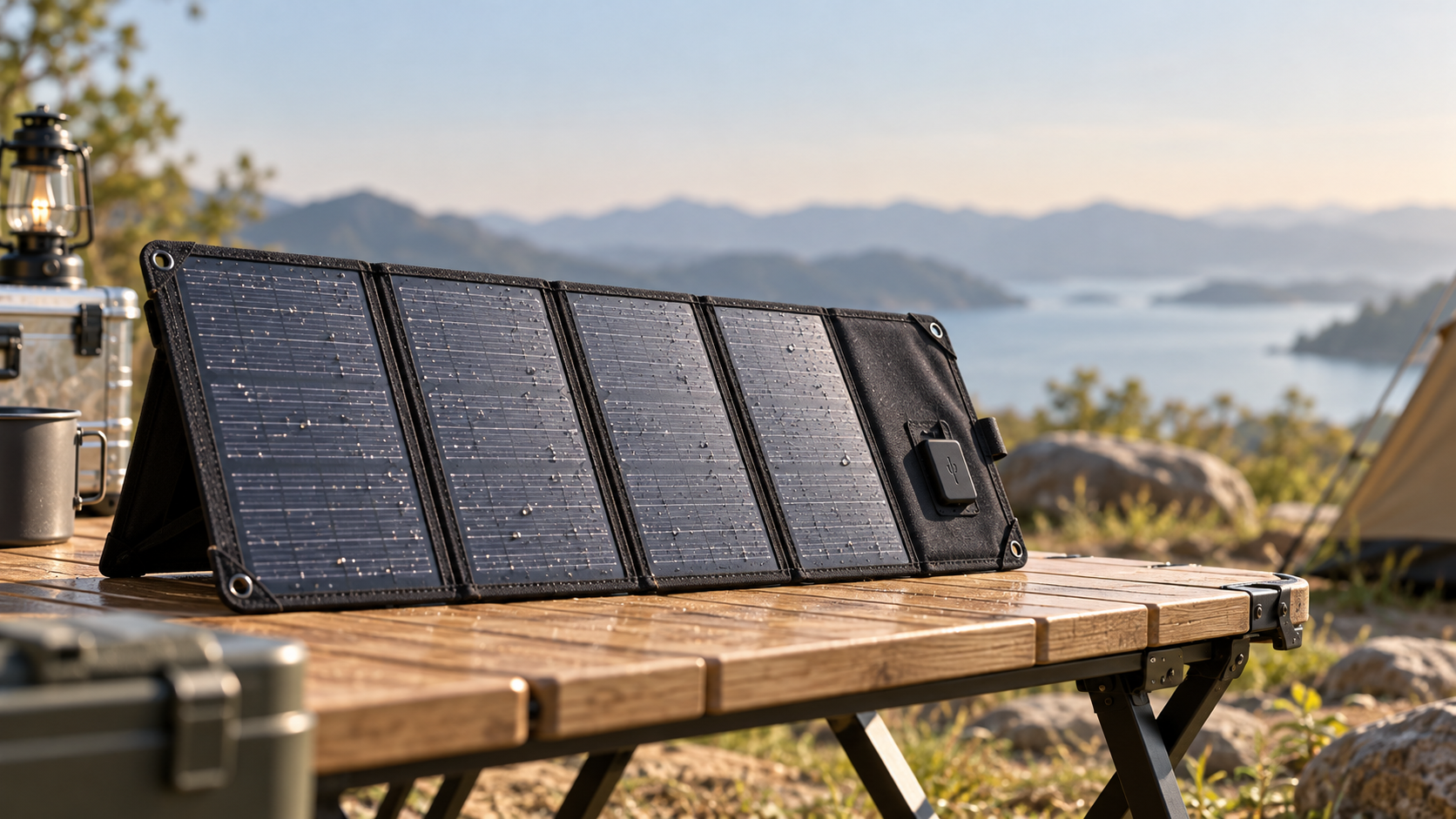
When comparing folding solar chargers waterproof enough for outdoor use, look beyond the headline wattage. The important details are often smaller: which parts are protected from water, how much power the panel may deliver in real conditions, and whether its output matches the devices you actually carry.
What does a waterproof IP rating really tell you?
An ingress protection, or IP, rating describes how well an enclosure resists the entry of solids and water under specified test conditions. The two digits have different jobs: the first refers to solid particles such as dust, and the second refers to water. An “X” means that level of protection was not specified; it does not mean the product failed the test.
These ratings are not a general guarantee against every kind of water exposure. Jet and immersion tests are different, so an immersion rating alone does not automatically establish protection against powerful jets. Salt water, hot water, wear, pressure, and repeated folding can also introduce conditions beyond the stated test. Check the manufacturer’s instructions rather than treating an IP number as permission to leave a charger outside indefinitely.
The panel and the ports may not share a rating
This is one of the easiest details to miss. A listing may describe the solar panel as waterproof while placing its USB ports in a pouch that is merely water-resistant. In some designs, a protective cover must be fully closed for the stated rating to apply. Once a cable is plugged in, the connection may be exposed.
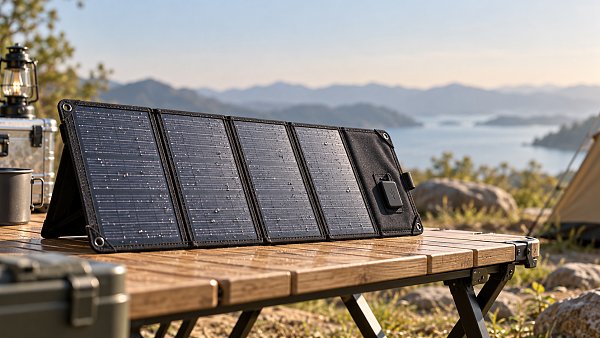
Before buying, look for a clear description of the rated components: panel surface, seams, junction box, output module, port covers, and any integrated battery. If the seller cannot say whether the whole assembly or only the panels carry the rating, plan around the more vulnerable parts—or choose a product with clearer documentation.
Never connect or disconnect a cable in standing water, and do not use wet connectors. Follow the manufacturer’s drying instructions before reconnecting equipment. A water-resistant panel does not make a phone, power bank, or open USB port safe from moisture.
Rated watts versus the power you can expect
A panel’s advertised wattage is its rated output under standardized laboratory conditions. It is useful for comparing panels, but it is not a guarantee of what reaches your device on a campsite picnic table. Sun intensity, temperature, panel angle, shadows, and electrical conversion all affect the result.
A 40 W folding panel, for example, should not be assumed to deliver 40 W continuously throughout the day. Even in good sunlight, the USB output may have a lower maximum than the panel rating. The connected device may also draw less power than the output can provide.
Pay attention to three separate figures when comparing specifications:
- Panel rating: The maximum solar power stated for the panel under test conditions.
- Port output: The voltage, current, and maximum wattage available from each USB or other output.
- Total shared output: The maximum available across ports when multiple devices are connected.
For instance, a charger with two ports advertised at 18 W each may not deliver 18 W from both simultaneously. The product’s total-output specification should explain whether power is shared. If it does not, ask before relying on it for a group trip.
A simple way to estimate charging time
Start with the energy your device needs in watt-hours (Wh), then divide it by the average power you reasonably expect to reach it. Add allowance for conversion losses and changing sunlight. This produces a planning estimate, not a charging promise.
Suppose a power bank needs roughly 40 Wh of energy and receives an average of 10 W from a solar charger. The arithmetic gives four hours, but real charging will generally take longer because of losses and variations in output. A passing cloud, shade across one section, or a charger that must restart after an interruption can lengthen the wait further.
Device battery capacity is often listed in milliamp-hours (mAh), which cannot be compared directly with panel watts. To estimate watt-hours, multiply amp-hours by the battery’s nominal voltage. For example, 10,000 mAh is 10 Ah; at a nominal 3.7 V, that is approximately 37 Wh. The energy available at the USB output will be lower after conversion losses.
Choose the right size for the way you travel
The best wattage is not necessarily the largest one you can find. A bigger panel may generate more power, but it also needs more space, weighs more, and can be awkward to position. Think about what must be charged, how often, and how much direct sun you will realistically have.
- Phone and small accessories: A compact panel may be enough for topping up a phone, headlamp, or earbuds when you have time and reliable sunshine. Check that its USB output is appropriate for the device.
- Several days away from outlets: A larger panel paired with a compatible power bank gives you more flexibility. Collect energy when the sun is available, then charge smaller devices later.
- Multiple users or higher-power devices: Look closely at total output, port limits, and charging protocols. A laptop may need a compatible USB-C Power Delivery output at a supported voltage; a panel with a USB-C port alone is not enough.
- Emergency preparedness: Consider where you will deploy the panel, what you need to keep running, and whether a precharged power bank or another backup source is available. Solar production depends on weather and daylight.
A folding solar charger is usually a generator, not a battery. Unless the product explicitly includes energy storage, it will not hold power after the sun goes down. An integrated battery may add convenience, but it also adds weight and introduces another component whose water and temperature limits need checking.
Compatibility matters as much as panel size
Start with the charging input on your phone, tablet, power bank, or laptop. Then compare it with the charger’s output specifications. USB-A and USB-C describe connector shapes; they do not, by themselves, tell you the voltage, current, or fast-charging standard supported.
If you want faster charging, check for a shared protocol such as USB Power Delivery where applicable, as well as the required power and voltage. A device may still charge without a matching fast-charging protocol, but it may do so more slowly—or not charge from that output at all. Use a suitable cable, too: a damaged or poorly matched cable can limit performance or make a connection unreliable.
Some portable solar panels also provide a DC output intended for compatible power stations or other equipment. Do not assume that matching plugs make two devices electrically compatible. Verify the required voltage, current, polarity, and connector, and follow both manufacturers’ instructions.
Look for behavior after a cloud passes
Solar output can drop suddenly when a cloud covers the sun or a person walks across the panel’s shadow. Some devices resume charging smoothly; others may pause or repeatedly reconnect. A charger with automatic restart or good low-light recovery can be useful, but the claim is worth checking in independent reviews or a practical test.
A power bank can serve as a buffer between variable solar production and your phone, provided the bank accepts the panel’s output and is operated within its instructions. Not all power banks behave the same way with fluctuating input, so test the combination before relying on it away from home.
Outdoor details that are easy to overlook
Good specifications matter, but everyday handling often determines whether a charger is pleasant to use. A panel that is difficult to prop up or has an exposed port pouch may spend more time being adjusted than charging.
- Mounting and positioning: Loops, stands, or a stable surface can help orient the panel toward the sun. Avoid hanging it where it will swing into shade or collect rain around the electronics.
- Partial shade: Shade on even a small section can reduce output disproportionately, depending on the panel design. Repositioning the whole panel may help more than chasing a higher wattage rating.
- Heat: Solar cells generally become less efficient as they get hotter. Keep phones and power banks out of direct sun and within their specified operating temperatures.
- Folded size and weight: Compare packed dimensions with your actual bag space, not just the unfolded surface area. A panel that works for car camping may be frustrating on a long hike.
- Construction: Examine seams, hinges, cable strain relief, closures, and port covers. Repeated folding and rough handling can reveal weaknesses that an IP rating alone does not describe.
- Cleaning: Dust and dirt can reduce the light reaching the cells. Use the cleaning method recommended by the manufacturer, and allow the charger and connectors to dry before storage.
Be cautious about attaching a panel to a moving backpack and expecting its full rated output. The angle changes constantly, parts may be shaded, and the panel can face away from the sun. A stationary setup during a break may be more productive, even if it feels less convenient.
Questions to ask before ordering
A useful product page should make it possible to answer these questions without guessing:
- What is the exact IP rating, and does it cover the entire charger or only the panel surface?
- Does the rating apply only when port covers are closed, and what should I do if the ports get wet?
- What are the maximum output and supported voltage for each port, and what is the combined limit?
- Does the USB-C output support the charging protocol and voltage my device requires?
- Is a battery included? If not, which power bank or power station inputs are compatible?
- What are the folded dimensions, weight, warranty terms, and instructions for cleaning and storage?
If a listing relies on phrases such as “rainproof” or “fast charging” without specifying conditions, treat those as descriptions rather than complete specifications. Clear answers are especially important when the charger will be used far from an outlet.
Making the final choice
For most buyers, the sensible choice is a folding panel with a clearly stated water rating, protected electronics, compatible outputs, and enough capacity for the devices they expect to charge—not every device they might someday own. Add a power bank if you need energy after dark or want more flexibility when sunlight changes.
Before a trip, test the complete setup in direct sunlight: panel, cable, power bank, and devices. Confirm that charging resumes after shade and that you know which components must stay dry. That short trial can turn a promising specification into something much more useful: confidence in the equipment you are carrying.
Get weekly intelligence in your inbox.
No noise. No sponsored content. Pure intelligence.
 Oct 30, 2026Walmart and Symbotic Sign $6 Billion Global Automation AgreementWalmart and Symbotic Sign $6 Billion Global Automation Agreement
 Oct 30, 2026Choosing a Waterproof Folding Solar Charger: IP Ratings and Power OutputChoosing a Waterproof Folding Solar Charger: IP Ratings and Power Output
 Oct 29, 2026Poland to End SENT Registration for Certain Scrap Metal Road Shipments on October 28Poland to End SENT Registration for Certain Scrap Metal Road Shipments on October 28
 Oct 29, 2026Energy Storage System Quotation: How to Compare Scope and Hidden CostsEnergy Storage System Quotation: How to Compare Scope and Hidden Costs
 Oct 28, 2026BNEF Raises US Battery Storage Forecast 30%, Sees 213.9 GW by 2030BNEF Raises US Battery Storage Forecast 30%, Sees 213.9 GW by 2030
 Oct 28, 2026Global Trade Intelligence Pricing: Data Coverage, User Seats, and API CostsGlobal Trade Intelligence Pricing: Data Coverage, User Seats, and API Costs
 Oct 27, 2026Western Australia 1GW Data Centre With 5GWh Battery Enters Federal Review ProcessWestern Australia 1GW Data Centre With 5GWh Battery Enters Federal Review Process
 Oct 27, 2026USB-C Docking Stations in the UK: A Buyer's Guide to Compatibility and ChargingUSB-C Docking Stations in the UK: A Buyer's Guide to Compatibility and Charging
 Oct 26, 2026AgiBot Scales Up Production as 100 Expedition A3 Robots Stage Guinness Record AttemptAgiBot Scales Up Production as 100 Expedition A3 Robots Stage Guinness Record Attempt
 Oct 26, 2026Rehabilitation Equipment for Outpatient Clinics: What to Check Before BuyingRehabilitation Equipment for Outpatient Clinics: What to Check Before Buying
 Oct 25, 2026Teradyne Robotics and Sereact Partner on AI-Powered Returns AutomationTeradyne Robotics and Sereact Partner on AI-Powered Returns Automation
 Oct 25, 2026Smart Warehousing Integration: How to Connect Robots to an Existing WMSSmart Warehousing Integration: How to Connect Robots to an Existing WMS
 Oct 24, 2026Tesla Q3 2026 Storage Deployments Rank Second Highest as Revenue Falls 16%Tesla Q3 2026 Storage Deployments Rank Second Highest as Revenue Falls 16%
 Oct 24, 2026Freight Forwarding Services Pricing: Comparing Quotes Beyond Base RatesFreight Forwarding Services Pricing: Comparing Quotes Beyond Base Rates
 Oct 23, 2026IndexBox Issues Off-Grid Solar Outlook to 2035, Forecasting 8.2% CAGRIndexBox Issues Off-Grid Solar Outlook to 2035, Forecasting 8.2% CAGR
 Oct 23, 2026NSF/ANSI 49 Biosafety Cabinets: Product Certification vs. Field TestingNSF/ANSI 49 Biosafety Cabinets: Product Certification vs. Field Testing
 Oct 22, 2026Mitsubishi Electric Develops Industry-First Humanoid Robot–CNC Machining SystemMitsubishi Electric Develops Industry-First Humanoid Robot–CNC Machining System
 Oct 22, 2026Aerospace Aluminum Machining: How to Control Distortion in Thin-Wall PartsAerospace Aluminum Machining: How to Control Distortion in Thin-Wall Parts
 Oct 21, 2026Genesis Energy commissions 200 MWh battery storage system at HuntlyGenesis Energy commissions 200 MWh battery storage system at Huntly
 Oct 21, 2026Buying AMI Smart Meters Wholesale: Compatibility Checks and Total CostsBuying AMI Smart Meters Wholesale: Compatibility Checks and Total Costs
 Oct 20, 2026Werner Enterprises Issues Q3 Earnings Warning as Costs RiseWerner Enterprises Issues Q3 Earnings Warning as Costs Rise
 Oct 20, 2026Are Digital Twins Viable for SMEs? Costs, Use Cases, and Data RequirementsAre Digital Twins Viable for SMEs? Costs, Use Cases, and Data Requirements
 Oct 19, 2026Choosing a Wholesale Servo Motor Exporter: Traceability and Warranty ChecksChoosing a Wholesale Servo Motor Exporter: Traceability and Warranty Checks
 Oct 18, 2026Syringe Manufacturing Equipment: Evaluating Throughput and Assembly AccuracySyringe Manufacturing Equipment: Evaluating Throughput and Assembly Accuracy
 Oct 17, 2026Air Freight Forwarding Services: How to Compare Quotes for Urgent ShipmentsAir Freight Forwarding Services: How to Compare Quotes for Urgent Shipments
 Oct 16, 2026Wholesale Solar Panels: How to Compare Bulk Quotes by Total Landed CostWholesale Solar Panels: How to Compare Bulk Quotes by Total Landed Cost
 Oct 15, 2026Supply Chain Intelligence for Sourcing: How to Vet New SuppliersSupply Chain Intelligence for Sourcing: How to Vet New Suppliers