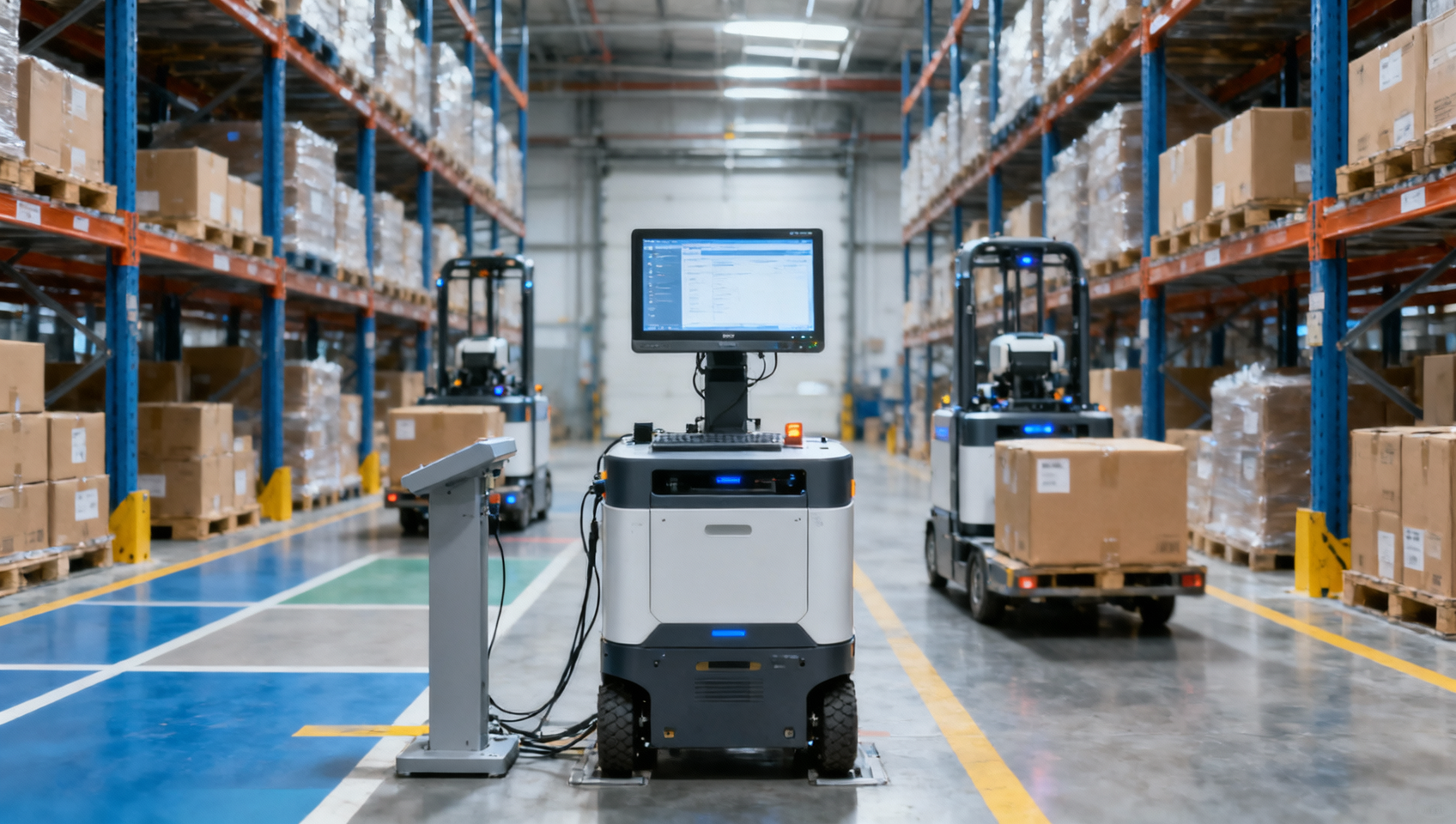
What Happens When Warehouse Robots Need Software Updates Mid-Operation?
When warehouse robotics software needs an upgrade mid-operation, the affected robots usually need a controlled break from productive work before the new software takes effect. Depending on the system, they may finish a task, hand off a load, or stop at a designated location. Other robots can continue working only if the fleet supports mixed software versions and has enough available capacity. Updates to shared control systems may require a coordinated pause.
Downloading an update and activating it are separate events. A system may receive software while robots are moving, yet still require downtime to install it, restart services, and validate behavior. Managing that transition means protecting physical safety, preserving order and inventory records, and deciding how much work the remaining fleet can handle.
Identify what is changing before deciding whether to keep running
“Warehouse robot software update” can describe several changes with very different operational consequences. An update to a reporting screen has a different impact from a change to navigation, fleet coordination, or safety-related behavior.
Do not assume every robot will react the same way when a central service restarts. Some systems allow an assigned movement to finish under local control; others require robots to stop when communication or coordination is lost. The deployment plan must follow the documented behavior of the installed system.
Urgency also changes the decision. A routine feature release can often wait for a quieter period. A defect affecting safe operation may require immediate withdrawal of affected equipment. A security patch needs an assessment of exposure and available temporary controls before choosing between immediate installation and a scheduled window.
Choose between a rolling update and a coordinated pause
A rolling update takes a limited group of robots out of service while the rest continue operating. It can reduce disruption when software versions can coexist, task assignment can exclude unavailable units, and the remaining robots can support the workload.
That last condition deserves attention. Spare robot count does not automatically mean spare capacity. The available units must have the right attachments, access permissions, battery state, and ability to serve the affected stations. Removing robots from a busy replenishment loop can starve picking stations even while other units remain idle elsewhere.
A coordinated pause is often the better choice when the update changes a shared database, communication protocol, traffic reservation mechanism, or another dependency that cannot safely support mixed versions. Tightly coupled automation may also need to stop as a group: pausing one component can leave conveyors, lifts, and transfer stations waiting in incompatible states.
For example, a fleet with interchangeable robots and supported version compatibility may be updated in batches. A shared controller upgrade that changes how robots negotiate aisle access may need an agreed stopping point for all affected traffic. The architecture determines the approach; a promise of “over-the-air updates” does not establish uninterrupted operation.
Move active robots into a known maintenance state
Before activating an update, stop assigning new work to the selected robots. This is often called draining: existing work is brought to an approved stopping point while new tasks go elsewhere.
That stopping point must be defined physically and digitally. A robot carrying a pallet may need to complete delivery or place the load at an approved buffer. A tote-handling robot may need to finish a transfer before leaving a station. If a fault makes continued movement unsafe, use the applicable stopping procedure rather than allowing the task to finish.
- Remove the selected units from dispatch. Confirm that automatic scheduling cannot assign another mission while they are being prepared.
- Resolve active loads and handoffs. Record where goods are located and whether each transfer has completed.
- Move to suitable maintenance locations. Keep access routes, emergency exits, charging access, and shared transfer points clear.
- Confirm maintenance readiness. Check the required energy supply, communications, operating mode, and authorization before activation.
A normal production stop may not provide the isolation required for physical maintenance. If someone needs to enter a hazardous area or work on equipment, apply the site's relevant isolation and access procedures. A software maintenance indicator alone does not establish that the equipment is safe to approach.
Preserve task ownership across the WMS and robot fleet
The most troublesome update failures can occur between systems. A robot may complete a delivery while the fleet manager restarts, leaving the warehouse management system (WMS) waiting for confirmation. If that work is released again without reconciliation, the result can be a duplicate movement or an incorrect inventory record.
Before deployment, establish where unfinished task information is stored and how it survives service restarts. Depending on the architecture, the WMS, warehouse execution system, fleet manager, and robot may each hold part of the task state. Their records need a defined reconciliation process.
- Retain task identifiers and the last confirmed execution state.
- Define how unacknowledged commands are checked before being retried.
- Use supported duplicate-handling mechanisms when messages are replayed.
- Keep a controlled exception process for goods whose physical position differs from the system record.
Message buffering also needs limits. If the WMS continues releasing orders while robot dispatch is unavailable, the backlog can grow beyond practical recovery capacity. Where supported, slow or pause upstream release so work enters the system at a manageable rate.
After restart, reconcile uncertain tasks before normal dispatch resumes. Automatically reissuing every incomplete job is risky when some physical movements may already have happened.
Test the release path, then expand in controlled batches
Check the complete compatibility chain before updating production equipment: robot hardware, onboard software, fleet manager, maps, station interfaces, and WMS integration. A release can support the robot model while still requiring a newer connector or a particular database migration sequence.
A test environment helps uncover integration problems, but it may not reproduce physical congestion, wireless coverage gaps, or every station interaction. Where the system supports it, follow testing with a limited production pilot under controlled conditions.
The pilot should exercise representative work. An idle robot that reconnects successfully proves little about loaded travel, docking, charging, lift access, or task completion messages. Include the interactions affected by the update and the recovery behavior expected after a communication interruption.
Set acceptance criteria before starting. These should cover safe behavior, correct transaction handling, and operational performance. Compare task completion time, queue growth, communication faults, and operator interventions with the site's normal baseline. A software version appearing correctly on the dashboard is only one check.
Expand deployment only after the pilot completes the agreed checks. Choose batch size according to available capacity and dependencies. Updating a small group can still cause a major interruption if it contains every robot capable of serving a critical workstation.
Prepare recovery before the first installation
Rollback must be a supported recovery procedure. Reinstalling an older software package may not restore a system that has already migrated its database, changed its maps, or rewritten configuration files.
Before deployment, preserve the supported configuration backups, software packages, and records needed for recovery. Establish which components can be downgraded independently and which must be restored together. If downgrade is unavailable, the plan needs an alternative, such as keeping affected equipment isolated while applying a corrective release.
Define clear reasons to halt further rollout: unexpected motion behavior, unresolved task duplication, loss of required protective functions, or repeated failures at essential handoffs. Assign someone authority to stop deployment without waiting for a commercial discussion.
Recovery also needs to account for work completed since the backup. Restoring an old database snapshot can remove legitimate transaction records while the goods remain in their new locations. Physical movements and digital records must be reconciled before dispatch restarts.
If activation fails on one robot, keep it unavailable and stop expansion until the cause is understood. Avoid repeated power cycling during installation unless the recovery procedure calls for it; interrupting a software write can complicate restoration.
Plan for reduced throughput and a slower restart
A successful update can still delay orders. During a rolling deployment, fewer robots are available. During a coordinated pause, upstream work can accumulate. When service returns, releasing the entire backlog at once may overload stations or create congestion.
Estimate the full disruption window: draining tasks, positioning equipment, installation, restart, validation, and gradual production release. File transfer time alone is a poor basis for scheduling.
Before work begins, adjust order release and arrange buffers where they are useful. Confirm which tasks can move to manual handling, who is trained to perform them, and how those movements will be recorded. An improvised manual workaround can create inventory errors or unsafe interactions with active automation.
Resume work progressively, prioritizing time-sensitive orders while monitoring shared bottlenecks. Keep the deployment record open until the warehouse has recovered normal flow and unresolved exceptions have owners.
Make update behavior part of the buying decision
During system evaluation, ask vendors to demonstrate maintenance behavior using realistic tasks. Request evidence of how a loaded robot leaves service, how dispatch excludes it, what happens when the fleet manager becomes unavailable, and how uncertain task states are recovered.
Useful procurement questions include:
- Which releases support mixed versions, and what restrictions apply?
- Who controls activation timing, including urgent patches?
- Which components require a shared outage?
- What recovery options exist after an interrupted installation or database migration?
- Which validation activities belong to the supplier, integrator, and site team?
Include responsibility for deployment, recovery support, configuration records, and operational sign-off in the support agreement. Before the next update, establish the exact software scope, the supported stopping state, and the recovery path. Those three decisions give the warehouse a practical basis for continuing with reduced capacity or taking a controlled pause.
Get weekly intelligence in your inbox.
No noise. No sponsored content. Pure intelligence.
 Oct 22, 2026Mitsubishi Electric Develops Industry-First Humanoid Robot–CNC Machining SystemMitsubishi Electric Develops Industry-First Humanoid Robot–CNC Machining System
 Oct 22, 2026Aerospace Aluminum Machining: How to Control Distortion in Thin-Wall PartsAerospace Aluminum Machining: How to Control Distortion in Thin-Wall Parts
 Oct 21, 2026Genesis Energy commissions 200 MWh battery storage system at HuntlyGenesis Energy commissions 200 MWh battery storage system at Huntly
 Oct 21, 2026Buying AMI Smart Meters Wholesale: Compatibility Checks and Total CostsBuying AMI Smart Meters Wholesale: Compatibility Checks and Total Costs
 Oct 20, 2026Werner Enterprises Issues Q3 Earnings Warning as Costs RiseWerner Enterprises Issues Q3 Earnings Warning as Costs Rise
 Oct 20, 2026Are Digital Twins Viable for SMEs? Costs, Use Cases, and Data RequirementsAre Digital Twins Viable for SMEs? Costs, Use Cases, and Data Requirements
 Oct 19, 2026Choosing a Wholesale Servo Motor Exporter: Traceability and Warranty ChecksChoosing a Wholesale Servo Motor Exporter: Traceability and Warranty Checks
 Oct 18, 2026Syringe Manufacturing Equipment: Evaluating Throughput and Assembly AccuracySyringe Manufacturing Equipment: Evaluating Throughput and Assembly Accuracy
 Oct 17, 2026Air Freight Forwarding Services: How to Compare Quotes for Urgent ShipmentsAir Freight Forwarding Services: How to Compare Quotes for Urgent Shipments
 Oct 16, 2026Wholesale Solar Panels: How to Compare Bulk Quotes by Total Landed CostWholesale Solar Panels: How to Compare Bulk Quotes by Total Landed Cost
 Oct 15, 2026Supply Chain Intelligence for Sourcing: How to Vet New SuppliersSupply Chain Intelligence for Sourcing: How to Vet New Suppliers
 Oct 14, 2026How skills shortages slow smart manufacturing in Southeast AsiaHow skills shortages slow smart manufacturing in Southeast Asia
 Oct 14, 2026How CNC wire-cut machining maintains tight tolerances in thick partsHow CNC wire-cut machining maintains tight tolerances in thick parts
 Oct 14, 2026Can automated feeding stabilize metal forming in smart factories?Can automated feeding stabilize metal forming in smart factories?
 Oct 14, 2026Can CT inspection detect internal defects in metal additive parts?Can CT inspection detect internal defects in metal additive parts?
 Oct 14, 2026When does additive manufacturing reduce lead time for spare parts?When does additive manufacturing reduce lead time for spare parts?
 Oct 14, 2026How production volume affects ROI on an automated painting lineHow production volume affects ROI on an automated painting line
 Oct 14, 2026What data does manufacturing bottleneck analysis consulting need?What data does manufacturing bottleneck analysis consulting need?
 Oct 14, 2026When should you hire a consultant for manufacturing bottlenecks?When should you hire a consultant for manufacturing bottlenecks?
 Oct 14, 2026How Do You Measure AI Adoption Maturity in a Traditional Factory?How Do You Measure AI Adoption Maturity in a Traditional Factory?
 Oct 14, 2026Are Chinese AI-Assisted Surgical Devices Gaining Global Trust?Are Chinese AI-Assisted Surgical Devices Gaining Global Trust?
 Oct 14, 2026What Happens When Warehouse Robots Need Software Updates Mid-Operation?What Happens When Warehouse Robots Need Software Updates Mid-Operation?
 Oct 14, 2026How Do Plants Calculate Real Savings from Energy-Efficient Equipment?How Do Plants Calculate Real Savings from Energy-Efficient Equipment?
 Oct 14, 2026Are Digital Twins Only for Large Enterprises, or Can SMEs Use Them?Are Digital Twins Only for Large Enterprises, or Can SMEs Use Them?
 Oct 14, 2026What Are the Common Failure Modes in Legacy Industrial Control Systems?What Are the Common Failure Modes in Legacy Industrial Control Systems?
 Oct 14, 2026Do Electronic Component Distributors Add Value or Just Markup?Do Electronic Component Distributors Add Value or Just Markup?
 Oct 14, 2026What ESG Requirements Apply to Solar PV Exporters Selling to Europe?What ESG Requirements Apply to Solar PV Exporters Selling to Europe?