How to Choose Wireless Chargers That Actually Charge Fast
Not all wireless chargers deliver the speed promised on the box. For buyers comparing wireless chargers across consumer, retail, and B2B use cases, fast charging depends on wattage, device compatibility, thermal control, and certified safety standards. This guide helps technical evaluators, sourcing teams, and decision-makers identify what actually matters before purchase, so they can avoid underperforming products and choose solutions that charge efficiently, safely, and consistently.
In practice, “fast” wireless charging is not a single feature. It is the result of matching charger output, phone or device input limits, power adapter capability, coil alignment, and heat management. A pad labeled 15W may only deliver 7.5W to some phones, while a stand marketed for office use may slow down after 10 to 20 minutes if thermal design is weak.
For B2B buyers, the stakes are higher than consumer convenience. Retailers need fewer returns, distributors need clear spec sheets, and project managers need reliable charging performance across dozens or hundreds of deployed units. That makes specification review, compliance checks, and test validation essential before placing orders.
What Fast Wireless Charging Really Means in Commercial Evaluation
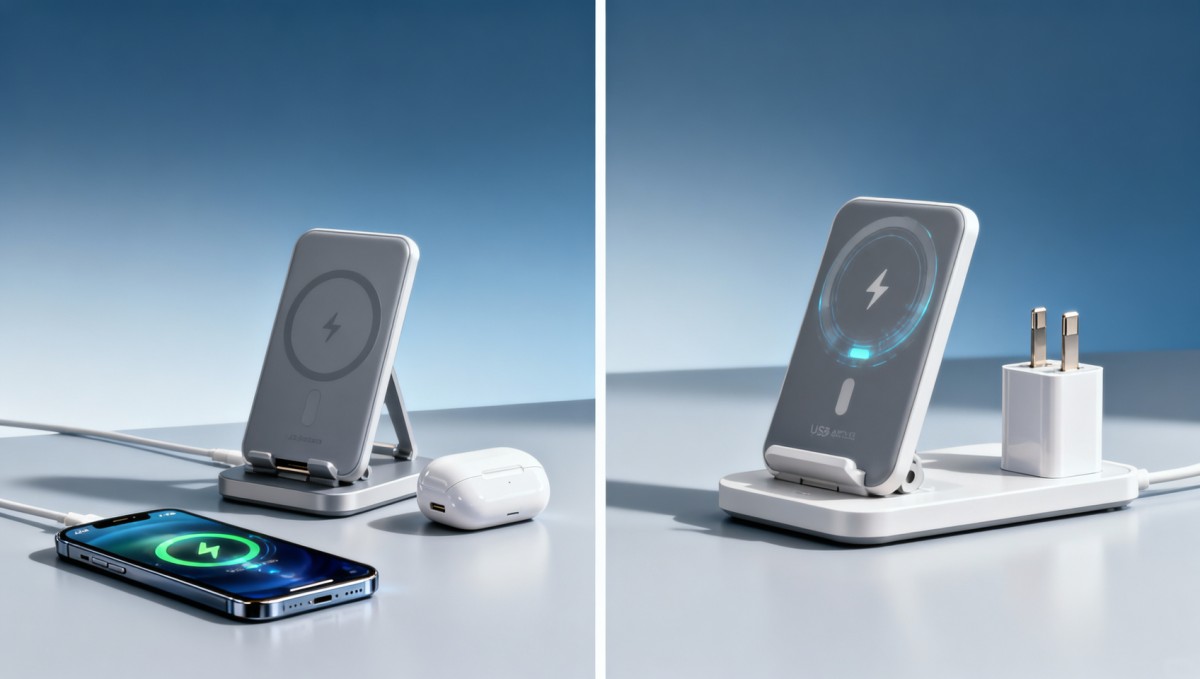
Wireless chargers convert power from a wall adapter into an electromagnetic field that a compatible device can receive and turn back into battery charging current. The headline wattage on packaging usually reflects the charger’s maximum supported output under ideal conditions, not guaranteed real-world delivery in every environment.
In most buying scenarios, fast wireless charging falls into practical ranges such as 5W for basic charging, 7.5W for certain mainstream smartphones, 10W to 15W for many fast-charge compatible models, and higher outputs for select ecosystems with tightly controlled hardware and software compatibility. If the phone only accepts 7.5W wirelessly, a 15W pad will not make it charge at 15W.
Another common source of confusion is that the charger alone does not determine speed. A product may require a 20W, 25W, or even 30W USB-C power adapter to reach its claimed wireless output. If bundled with an underpowered adapter, or if the buyer uses a legacy USB-A brick, charging speed can drop by 30% to 60% compared with test-lab claims.
For sourcing teams, the key question is not “What is the maximum advertised wattage?” but “Under what conditions is that wattage sustained?” This distinction matters in retail assortment, enterprise procurement, and branded accessory programs where support issues and product returns can erode margins quickly.
Four variables that define actual charging speed
- Device compatibility: Phones, earbuds, and handheld terminals often have different wireless input ceilings, typically from 5W to 15W.
- Power adapter rating: Many fast wireless chargers need PD or QC input at 18W to 30W to unlock full performance.
- Alignment efficiency: Misaligned coils can reduce delivered power and increase heat within minutes.
- Thermal throttling: If internal temperature rises beyond design thresholds, charging output may step down automatically.
Why this matters for B2B buyers
In distributor, retail, hospitality, workspace, and device-bundling channels, performance consistency matters more than peak marketing claims. A charger that reaches 15W for only a short interval but averages 8W over a 30-minute session may trigger customer complaints even if its packaging is technically accurate.
The table below summarizes how advertised ratings differ from practical delivered performance across typical procurement contexts.
The main takeaway is straightforward: buyers should evaluate sustained charging conditions, not just peak labels. This is especially important when products will be resold, integrated into larger hardware bundles, or deployed in office, hotel, or healthcare-adjacent environments where user expectations are high.
Core Technical Specs to Check Before You Buy
A fast wireless charger should be reviewed like any other electrical product: input specification, wireless output levels, thermal design, protocol compatibility, and protection features all need to be documented. A listing that only says “fast charge supported” is not detailed enough for technical evaluation or procurement approval.
Start with input power. Many higher-performing chargers require USB-C input with Power Delivery or Quick Charge support. Common input profiles include 5V/2A, 9V/2A, or 12V/2A. If the product cannot state which input profile is needed for 10W or 15W output, the claimed speed should be treated cautiously.
Next, check output tiers by device type. A well-documented charger often lists 5W, 7.5W, 10W, and 15W support rather than only a single top number. That makes channel planning easier for distributors and helps commercial buyers set realistic end-user expectations across mixed device fleets.
Coil design and charging geometry also affect user experience. Vertical stands support easier viewing during charging, while flat pads can work well in hospitality rooms, retail counters, or shared desks. However, wider effective charging areas and better alignment tolerance generally reduce failure-to-charge incidents in public or multi-user settings.
Technical checklist for fast and stable operation
- Verify required adapter input, ideally 18W to 30W for many fast wireless models.
- Confirm supported wireless output tiers, such as 5W, 7.5W, 10W, and 15W.
- Review charging distance tolerance, typically around 3mm to 8mm, including case thickness.
- Check foreign object detection, over-temperature protection, and over-voltage safeguards.
- Ask whether sustained output was tested over 30-minute and 60-minute charging sessions.
Spec comparison table for sourcing teams
The following table can help procurement and quality teams compare charger options in a practical way, especially when evaluating consumer resale products versus B2B deployment units.
Technical documentation quality itself is also a buying signal. Suppliers that can provide test conditions, adapter requirements, and compatibility notes are usually easier to work with during onboarding, quality review, and after-sales support. For enterprise buyers, clear documentation saves time across legal, procurement, and support teams.
Safety, Certification, and Thermal Control Are Not Optional
Charging speed gets attention, but safety and thermal stability determine whether a wireless charger is viable for scale. Heat is the most common hidden reason a charger slows down, ages poorly, or generates customer complaints. In many products, performance begins to taper as internal temperature rises during a 20-minute to 40-minute session.
A reliable fast wireless charger should include foreign object detection, temperature monitoring, over-voltage protection, and over-current protection. These functions are especially important in commercial environments where users may place keys, cards, or metallic accessories near the charging surface.
Certification review also matters. Buyers should ask whether the product follows recognized wireless charging interoperability frameworks and whether market-specific compliance applies for the destination region. Importers and distributors should coordinate compliance review early, ideally before sampling transitions into volume ordering.
Thermal design deserves more scrutiny than many procurement teams give it. Venting, internal layout, charging coil quality, housing material, and control firmware all influence heat buildup. A charger with better thermal design may sustain 10W to 15W longer than a cheaper unit that throttles down rapidly under the same conditions.
Key risk points to screen during supplier assessment
- Unclear certification language or missing region-specific compliance details.
- No explanation of how full-speed charging was tested over time.
- Excessively light product construction that may suggest weaker heat handling.
- Listings that omit protection features but emphasize only wattage and appearance.
- Large performance claims without adapter requirements or compatibility notes.
Operational implications for quality and safety teams
For quality managers and safety reviewers, the goal is not just pass-or-fail certification. It is ensuring the product can operate repeatedly in expected conditions: desks, bedside tables, hotel rooms, service counters, and shared workspaces. If chargers are expected to run 8 to 12 hours a day in public environments, thermal reliability becomes a lifecycle issue, not just a launch issue.
This is also where returns management connects directly to engineering quality. Products that run hot, disconnect intermittently, or fail with certain cases often produce avoidable support costs. A slightly higher unit price can be justified if it lowers replacement rates, complaint volume, and channel friction over a 6-month to 12-month sales cycle.
How to Match Wireless Chargers to Consumer, Retail, and Enterprise Use Cases
The right charger format depends on where and how it will be used. A bedside consumer charger, a retail accessory SKU, and a corporate workspace charger may all require different priorities. Speed matters, but so do form factor, placement tolerance, packaging, durability, and support burden.
For direct consumer resale, a clear compatibility matrix and attractive industrial design can help conversion. For retail channels, packaging clarity and lower return risk may outweigh a small difference in maximum wattage. For enterprise procurement, stable charging, fleet compatibility, and predictable support are usually more important than visual style.
Hospitality and office environments often benefit from upright stands because they improve alignment visibility and allow users to check notifications while charging. Flat pads can be effective in guestrooms and front-desk counters, but placement errors are more common when users set devices down quickly.
Multi-device chargers can be attractive for premium bundles or desktop setups, but buyers should remember that total power is usually shared. A 3-in-1 charger may charge a phone, earbuds, and watch simultaneously, yet each zone may run below the speed of a dedicated single-device pad.
Use-case comparison for commercial selection
Different deployment settings require different trade-offs. The table below provides a structured comparison useful for distributors, sourcing managers, and project leads.
The choice should follow the deployment environment. If the charger will be used by many first-time users, alignment forgiveness and bundled power accessories are often worth more than chasing the highest listed wattage. If it will be integrated into a branded electronics program, documentation and support readiness become even more important.
A practical shortlist for decision-makers
- Choose single-device 10W to 15W models for the widest general-purpose demand.
- Use upright stands in public or office settings to improve placement accuracy.
- Select multi-device models only when convenience justifies lower per-device speed.
- Bundle the correct adapter whenever possible to reduce setup errors and complaints.
Procurement Workflow, Testing Methods, and Common Buying Mistakes
A disciplined sourcing workflow helps buyers avoid chargers that look competitive on paper but fail in use. The most effective process usually includes five stages: specification review, sample validation, compatibility testing, safety and compliance review, and pilot deployment. Even for smaller orders, this structure reduces post-purchase surprises.
Sample testing should include more than one phone model and more than one charging duration. A practical lab or internal test can measure whether the charger starts reliably, maintains charging for 30 to 60 minutes, and performs acceptably with standard cases attached. Testing at ambient conditions around 20°C to 25°C is common, but elevated room temperatures should also be considered for some markets.
Buyers should also record the exact adapter and cable used during tests. Many disputes over “slow charging” are caused by power accessories, not the charger itself. In commercial purchasing, keeping a documented test matrix can speed up approval by engineering, quality, and finance stakeholders.
A frequent mistake is choosing based on top-line wattage alone. Another is ignoring end-user context, such as whether devices are commonly used with thick cases, magnetic accessories, or varied phone brands. A third mistake is failing to evaluate after-sales support, replacement handling, and packaging clarity before channel launch.
Recommended testing and approval flow
- Collect full spec sheets, required adapter details, and compatibility notes from the supplier.
- Test at least 3 representative device types, ideally including one lower-speed and one higher-speed model.
- Run 30-minute and 60-minute charging sessions to observe throttling behavior.
- Check charging stability with common cases, typically up to 3mm to 5mm thickness.
- Review packaging claims and user instructions before purchase approval or retail listing.
Common mistakes that reduce charging performance
- Using a low-power adapter that cannot provide the charger’s required input profile.
- Assuming every phone supports the same wireless charging standard and wattage tier.
- Overlooking thermal behavior during continuous use or warm-room conditions.
- Selecting a flat pad for public use where device placement is often imprecise.
- Approving a product with limited documentation, increasing support risk after launch.
For distributors, enterprise buyers, and resellers, the most successful wireless charger programs are usually built on realistic promises, good documentation, and tested compatibility. That combination supports stronger customer satisfaction and lowers hidden operational costs that do not appear on the unit price alone.
FAQ: Questions buyers ask before approving a wireless charger
How do I know if a 15W wireless charger will actually charge at 15W?
Check three things: whether the device supports 15W wireless input, whether the charger requires a specific PD or QC adapter, and whether the supplier provides tested performance conditions. Without all three, the real charging rate may be 5W, 7.5W, or 10W instead of the advertised maximum.
Are multi-device wireless chargers slower?
Often yes. In many 2-in-1 and 3-in-1 designs, total available input power is divided across charging zones. That means a phone may charge slower than it would on a dedicated single-device charger, especially when all zones are active at the same time.
What is the minimum documentation a B2B buyer should request?
Request input and output specifications, supported charging tiers, required adapter rating, safety protection features, compatibility notes, and market compliance information. Ideally, also ask for internal test conditions over at least 30-minute charging sessions.
Choosing wireless chargers that actually charge fast means evaluating the whole charging system, not just the number printed on the retail box. Buyers should verify output tiers, adapter requirements, compatibility, thermal control, and safety protections before moving from sample to scale. That approach helps consumer brands, distributors, and enterprise teams reduce return risk while delivering a better charging experience.
For organizations comparing wireless charging options across smart electronics and broader procurement programs, TradeNexus Pro provides a decision-ready perspective that connects technical evaluation with sourcing strategy. To review suitable charger categories, compare supplier-facing selection criteria, or discuss a tailored procurement approach, contact us to get a customized solution and learn more about the right-fit options for your market.
Get weekly intelligence in your inbox.
No noise. No sponsored content. Pure intelligence.
 Apr 30, 2026Tangshan Beijiao Thermal Power Unit #1 A-Grade Maintenance LaunchTangshan Beijiao Thermal Power Unit #1 A-Grade Maintenance Launch
 Apr 30, 2026SAMR to Finalize 1,800+ Standards in 2026 Affecting Industrial Materials ExportsSAMR to Finalize 1,800+ Standards in 2026 Affecting Industrial Materials Exports
 Apr 30, 2026UAE Becomes Global AI Hub: New CE-ADAS+ Pathway for Chinese Smart Industrial EquipmentUAE Becomes Global AI Hub: New CE-ADAS+ Pathway for Chinese Smart Industrial Equipment
 Apr 30, 2026Vietnam’s SMT Expansion Drives CNC Fixture Export DelaysVietnam’s SMT Expansion Drives CNC Fixture Export Delays
 Apr 30, 2026USITC Launches 337 Investigation on Wi-Fi 7 RF Modules from ChinaUSITC Launches 337 Investigation on Wi-Fi 7 RF Modules from China
 Apr 30, 2026Morocco Enforces PV Mounting Structure Certification from Q3 2026Morocco Enforces PV Mounting Structure Certification from Q3 2026
 Apr 30, 2026TÜV Rheinland Launches Fast-Track Certification for Chinese Warehouse RobotsTÜV Rheinland Launches Fast-Track Certification for Chinese Warehouse Robots
 Apr 30, 2026Red Sea Crisis Deepens: Suez Canal Fees Up 12%, China-Europe Rail Premium Hits 35%Red Sea Crisis Deepens: Suez Canal Fees Up 12%, China-Europe Rail Premium Hits 35%
 Apr 30, 2026EU Enforces Battery Passport Checks: Storage Export Delays RiseEU Enforces Battery Passport Checks: Storage Export Delays Rise
 Apr 29, 2026USITC Launches Section 337 Investigation into Chinese Wi-Fi 7 RF ModulesUSITC Launches Section 337 Investigation into Chinese Wi-Fi 7 RF Modules
 Apr 29, 2026Côte d'Ivoire Launches $500M Grid Storage Tender, Chinese BESS Fast-TrackedCôte d'Ivoire Launches $500M Grid Storage Tender, Chinese BESS Fast-Tracked
 Apr 29, 2026Morocco Enforces IEC 61427-2:2025 PV Mounting Certification from Q3 2026Morocco Enforces IEC 61427-2:2025 PV Mounting Certification from Q3 2026
 Apr 29, 2026UAE Becomes Global AI Hub: New CE-ADAS+ Path for Chinese Smart Industrial EquipmentUAE Becomes Global AI Hub: New CE-ADAS+ Path for Chinese Smart Industrial Equipment
 Apr 29, 2026Red Sea Crisis: Suez Canal Fees Up 12%, China-Europe Rail Premium at 35%Red Sea Crisis: Suez Canal Fees Up 12%, China-Europe Rail Premium at 35%
 Apr 29, 2026TÜV Rheinland Launches Fast-Track Certification for Chinese Warehouse RobotsTÜV Rheinland Launches Fast-Track Certification for Chinese Warehouse Robots
 Apr 29, 2026Vietnam's SMT Expansion Drives CNC Fixture Export DelaysVietnam's SMT Expansion Drives CNC Fixture Export Delays
![]() Apr 29, 2026NEOM Smart Infrastructure Phase II Opens Bidding: Chinese PV Mounting & BESS Pre-QualifiedNEOM Smart Infrastructure Phase II Opens Bidding: Chinese PV Mounting & BESS Pre-Qualified
Apr 29, 2026NEOM Smart Infrastructure Phase II Opens Bidding: Chinese PV Mounting & BESS Pre-QualifiedNEOM Smart Infrastructure Phase II Opens Bidding: Chinese PV Mounting & BESS Pre-Qualified Apr 29, 2026EU Enforces Battery Passport for Energy Storage Imports from July 2026EU Enforces Battery Passport for Energy Storage Imports from July 2026
 Apr 29, 2026Maine Bans New >20MW Data Centers — AI Hardware Delivery ImpactedMaine Bans New >20MW Data Centers — AI Hardware Delivery Impacted
 Apr 28, 2026Suez Canal Fee Hike & China-Europe Rail Premium: Q2 2026 ImpactSuez Canal Fee Hike & China-Europe Rail Premium: Q2 2026 Impact
 Apr 28, 2026TÜV Rheinland Launches Fast-Track Certification for Chinese Warehouse RobotsTÜV Rheinland Launches Fast-Track Certification for Chinese Warehouse Robots
 Apr 28, 2026EU Enforces Battery Passport Rule for Chinese ESS Exports from 2027EU Enforces Battery Passport Rule for Chinese ESS Exports from 2027
 Apr 28, 2026ADB Raises Vietnam GDP Forecast to 7.2%: SMT & Precision Fixture Demand RisesADB Raises Vietnam GDP Forecast to 7.2%: SMT & Precision Fixture Demand Rises
 Apr 28, 2026US ITC Launches Section 337 Investigation into Chinese Wi-Fi 7 RF FEMsUS ITC Launches Section 337 Investigation into Chinese Wi-Fi 7 RF FEMs
 Apr 28, 2026Côte d'Ivoire Opens $500M Power Tender: Chinese BESS Get Fast-Track AccessCôte d'Ivoire Opens $500M Power Tender: Chinese BESS Get Fast-Track Access
 Apr 28, 2026BP’s Algeria East Basin Permit Spurs Valve Demand, Lead Times Extend to 18 WeeksBP’s Algeria East Basin Permit Spurs Valve Demand, Lead Times Extend to 18 Weeks
") Apr 28, 2026Vietnam Mandates V-Trust for Smart Appliances Export (July 2026)Vietnam Mandates V-Trust for Smart Appliances Export (July 2026)
Apr 28, 2026Vietnam Mandates V-Trust for Smart Appliances Export (July 2026)Vietnam Mandates V-Trust for Smart Appliances Export (July 2026)