HMI Touch Panels That Look Good but Slow Down Daily Operation
Sleek HMI touch panels may impress at first glance, but for operators, appearance means little if every tap adds delay to routine tasks. In fast-paced industrial settings, slow response, confusing layouts, and poor usability can reduce efficiency and increase frustration. This article explores why attractive panel design must also support speed, clarity, and reliable daily operation.
For operators, the real question is simple: do HMI touch panels help the job move faster, or do they quietly slow everything down? In many plants, packaging lines, assembly cells, energy systems, and process stations now use polished interfaces with modern graphics, animated icons, and visually clean dashboards. Yet a good-looking screen is not automatically a productive one.
When an HMI is slow to respond, forces extra screen changes, or hides important controls behind stylish layouts, the cost shows up in wasted seconds, repeat inputs, missed alarms, and operator fatigue. Over a full shift, those seconds become a real operational problem. A panel that looks modern but interrupts routine action is not an upgrade from the user’s perspective.
This matters because operators are judged on throughput, accuracy, safety, and uptime, not on whether the interface looks premium. The best HMI touch panels combine visual clarity with fast interaction. They support quick decisions, reduce hand movement and hesitation, and make common tasks easy under pressure. If a panel fails those tests, its design is working against the people who depend on it every day.
Why attractive HMI touch panels often create friction in real operation
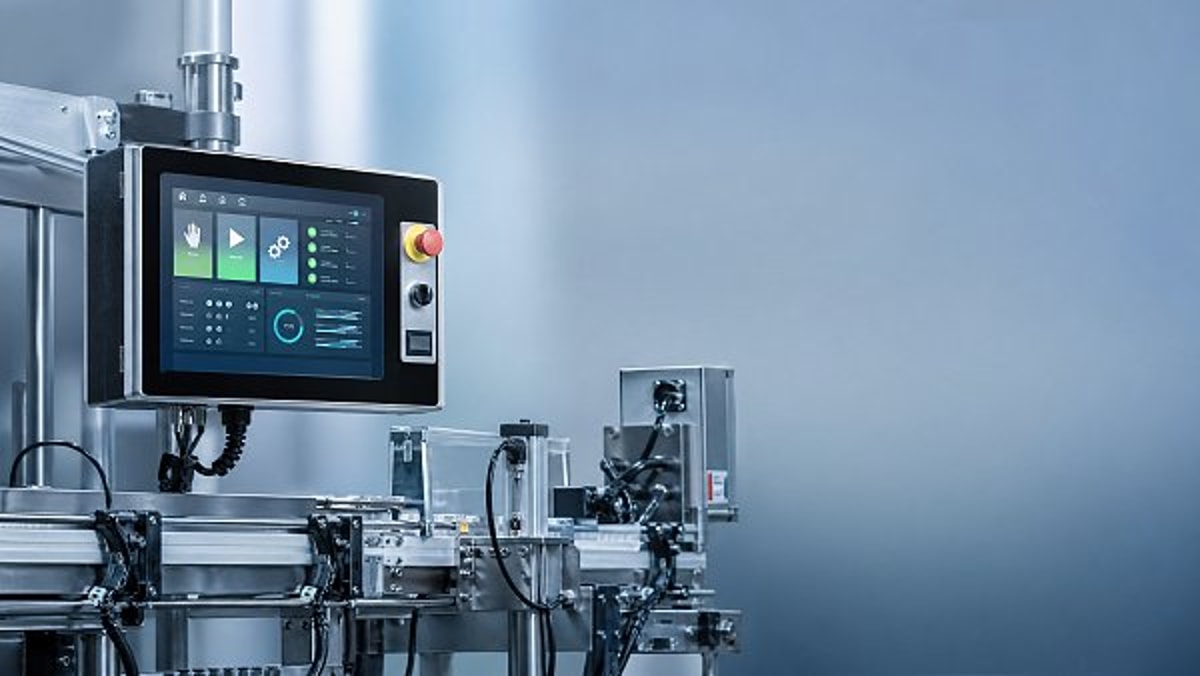
Many interface projects are approved by engineers, managers, or buyers who see the panel mainly in demonstrations, design reviews, or product catalogs. In those settings, a glossy display, smooth graphics, and minimalist layout can appear advanced and high-end. But daily operation is different from a demo. Operators use the system repeatedly, often while wearing gloves, under noise, under time pressure, and while monitoring equipment conditions at the same time.
The problem starts when visual style is given too much importance compared with touch efficiency. For example, small buttons may look elegant on screen, but they slow down input and cause mistaps. Hidden menus may keep the main display clean, but they add extra steps for actions that should take one tap. Animated transitions may look modern, but they create delay between screens and break the operator’s rhythm.
In industrial environments, usability is not a soft preference. It directly affects how fast operators can start a line, adjust settings, acknowledge warnings, switch recipes, check status, and recover from faults. HMI touch panels should reduce mental load, not increase it. If users must pause to search, confirm, re-enter, or wait for response, the interface is becoming a bottleneck.
This is why operators often dislike systems that visitors or decision-makers praise. The panel may look cleaner, more branded, or more “digital,” but the people using it know where time gets lost. Their judgment is usually based on repetitive work: how many taps are needed, whether the system reacts instantly, whether text is readable at a glance, and whether critical controls stay consistent from screen to screen.
What operators care about more than appearance
Operators typically do not ask for fancy interface language. They want speed, predictability, and confidence. A useful HMI should let them complete common tasks with minimal effort. That means direct access to frequent functions, large and reliable touch targets, clear labels, and screen logic that matches the real production sequence. The easier it is to understand what the machine is doing, the more valuable the panel becomes.
Response time is one of the biggest concerns. Even a delay of one or two seconds feels long when repeated dozens or hundreds of times a shift. Slow screen loading, laggy input registration, and delayed confirmation create uncertainty. Operators may tap twice, assume the command did not go through, or hesitate before taking the next action. This uncertainty can lead to duplicate inputs or unnecessary stop-start actions.
Clarity is another major issue. Color-heavy dashboards, excessive icons, and decorative visual layers can make a panel look sophisticated while reducing readability. Operators need to identify machine state, alarm priority, and active settings immediately. If visual elements compete for attention, the HMI becomes tiring to use. Good HMI touch panels make the important information obvious first and the secondary information accessible second.
Consistency also matters more than style. If one screen uses green for start and another screen uses green for status only, the operator must stop and interpret each page. If similar tasks require different navigation paths depending on the machine mode, confidence falls. A consistent interface allows action without relearning. That is what helps daily operation stay smooth.
Common signs an HMI is slowing down the shift
One clear warning sign is when operators develop workarounds. If they keep certain screens open to avoid navigating through menus, write settings on paper because values are hard to find, or ask more experienced coworkers where a function is buried, the interface is not supporting efficient work. A panel should simplify operation, not require memorized shortcuts outside the official flow.
Another sign is frequent repeated tapping. This often happens when touch response is weak, the processing speed is slow, or the confirmation feedback is unclear. The operator cannot tell whether the system accepted the input, so they press again. Over time, this becomes frustrating and can also create command errors. Responsive HMI touch panels should give immediate visual confirmation and maintain stable performance even during busy machine states.
High training dependence is also a sign of poor usability. If a new operator needs extensive explanation for routine screen navigation, the issue may not be skill level but interface design. A good HMI should align with operational logic closely enough that most basic functions are intuitive. Training should focus on process knowledge and safety, not on decoding the panel.
Watch for delayed fault recovery as well. During normal production, a slow interface is annoying. During a stoppage, it becomes expensive. If alarm details are too hidden, reset steps are unclear, or maintenance screens are difficult to reach, downtime extends. An attractive display means very little when a line is waiting for the user to find the right screen.
Why speed in HMI design is about more than processor performance
When users complain that a panel is slow, the cause is not always hardware. Processor speed, memory, and software optimization matter, but many delays are created by interface structure. A panel can have modern hardware and still feel slow if users must navigate through too many levels, switch between unrelated pages, or perform multiple confirmations for simple actions.
Screen hierarchy is a major factor. If the most common operator tasks are buried inside layered menus, interaction time increases no matter how advanced the device is. The best HMI touch panels are built around task frequency. What the operator does most often should be easiest to access. What is needed rarely can sit deeper in the structure. That sounds obvious, but many systems are organized around engineering logic instead of operator workflow.
Feedback design is another overlooked factor. Users need instant confirmation that the system received a touch, changed a value, accepted a command, or blocked an action for a reason. Without clear feedback, even a technically fast panel can feel slow. Human perception matters. A quick highlight, a clear status change, or a concise message can make operation smoother and safer.
Content density also plays a role. Some interfaces spread basic information across too many separate pages in the name of clean design. Others overload one page with too much detail. Both approaches reduce speed. Efficient HMI design balances glanceability and control access. The operator should not need to hunt for normal production data or scroll through a crowded dashboard just to perform simple work.
How to judge whether HMI touch panels are truly operator-friendly
The most reliable test is to observe real operators during real tasks. Do not rely only on sales demonstrations or office-based reviews. Watch how long it takes to start a sequence, change a setting, acknowledge an alarm, move between screens, and recover from a fault. Count taps. Note pauses. Ask where users feel friction. Small delays become visible quickly when the same routine is repeated several times.
A practical evaluation method is to focus on the top five daily actions. These may include machine start-up, recipe selection, parameter adjustment, alarm response, and shift handover checks. For each action, measure how many steps are required, whether labels are clear, whether the touch targets are easy to hit, and whether the screen provides immediate feedback. If a stylish interface performs poorly in these common tasks, its appearance is not helping operations.
Another useful question is whether the HMI supports error prevention. Good panels reduce the chance of accidental touches, guide users through sensitive changes, and make current machine state easy to understand before action is taken. Bad panels either oversimplify important controls or place them too close together. In both cases, speed suffers because users become cautious and slower, or they make mistakes that require correction.
It is also worth checking use conditions directly. Can the screen be used with gloves? Is it readable under plant lighting? Are the key controls visible from the normal standing position? Is the text large enough at a quick glance? HMI touch panels that test well in a showroom may behave differently on a noisy line floor with vibration, dust, and time pressure.
Design features that actually improve daily operation
Large, clearly separated touch areas are one of the most valuable features for operators. They reduce mistaps and speed up repeated use, especially in environments where gloves, moisture, or rushed movement are common. The visual style can still be modern, but action zones should be designed around physical use, not just visual neatness.
Persistent access to core functions also improves efficiency. Essential controls such as home, alarm summary, machine status, and main operating modes should not disappear inside changing screen flows. Operators work faster when they know exactly where these functions always are. Predictable placement reduces hesitation and supports muscle memory over time.
Clear alarm prioritization is another high-value feature. During a problem event, users should immediately see what needs action first, what the consequence is, and where to go next. Color use should be functional rather than decorative. If everything is bright and animated, nothing stands out. Effective HMI touch panels reserve visual emphasis for conditions that truly require attention.
Finally, streamlined data entry can save significant time. Numeric input, setpoint changes, batch selection, and recipe confirmation should be simple and robust. If entering one value takes several screens and repeated acknowledgments, daily operation slows down. Good design makes sensitive actions secure without making ordinary actions exhausting.
What buyers, engineers, and supervisors should learn from operator complaints
When operators say an HMI is slow, they are often pointing to a broader productivity issue. Their complaint may sound subjective, but it usually reflects measurable friction in the workflow. Ignoring that feedback can lead to lower adoption, more operating mistakes, and reduced confidence in otherwise capable equipment.
For teams selecting or redesigning HMI touch panels, operator input should come early, not after implementation. The people who use the screens every day understand which tasks matter most, where seconds are lost, and which interface habits create stress during busy periods. Their feedback is especially valuable in sectors such as advanced manufacturing, green energy systems, smart electronics assembly, healthcare technology equipment, and supply chain automation, where process speed and accuracy are tightly linked.
Supervisors should also pay attention to hidden cost. A panel that looks premium but slows each routine by a small margin can quietly reduce output across shifts, lines, and sites. That loss is harder to notice than a major failure, but over time it affects labor efficiency, downtime response, and training burden. In many cases, a more practical interface delivers better return than a more visually impressive one.
The right lesson is not that appearance does not matter. A clear, modern, well-organized screen can improve trust and usability. The lesson is that visual quality must support operational quality. The best HMI touch panels are attractive because they are easy to use, not because they sacrifice speed for style.
Conclusion: good-looking is fine, but fast and clear is what operators remember
Operators rarely judge HMI touch panels by first impression alone. They judge them by the hundredth tap, the fifth alarm of the shift, the speed of a changeover, and the ease of getting a line running again. In that reality, an interface that looks polished but slows routine work is not a success.
The strongest HMI design combines instant response, clear screen logic, readable information, and reliable control access. It respects how people actually work. When a panel reduces hesitation, cuts extra steps, and helps users act confidently, it adds real value to daily operation. That is what operators notice, and that is what decision-makers should prioritize.
If you are reviewing new panels or struggling with an existing interface, start with the simplest test: can operators perform common tasks quickly, clearly, and without frustration? If the answer is no, the design needs to improve no matter how modern it looks. In industrial environments, usable always beats merely impressive.
Get weekly intelligence in your inbox.
No noise. No sponsored content. Pure intelligence.
 May 03, 2026AI Boom Drives Data Center Power Demand, Liquid Cooling Gains UrgencyAI Boom Drives Data Center Power Demand, Liquid Cooling Gains Urgency
 May 03, 2026Low-Altitude Economy in China's 15th Five-Year Plan Boosts Warehouse Robotics ExportsLow-Altitude Economy in China's 15th Five-Year Plan Boosts Warehouse Robotics Exports
 May 03, 2026EU REACH Adds 5 Organotin Compounds to SVHC List for ElectronicsEU REACH Adds 5 Organotin Compounds to SVHC List for Electronics
 May 03, 2026Western Land-Sea Expressway Boosts Solar PV Exports to ASEANWestern Land-Sea Expressway Boosts Solar PV Exports to ASEAN
 May 03, 2026Southeast Asia Smart Home E-commerce Grows 27.4% Amid New Matter 1.3+ Certification RulesSoutheast Asia Smart Home E-commerce Grows 27.4% Amid New Matter 1.3+ Certification Rules
 May 03, 2026FDA Updates IVD Software Guidance: AI Diagnostic Tools Require Independent Algorithm ValidationFDA Updates IVD Software Guidance: AI Diagnostic Tools Require Independent Algorithm Validation
 May 03, 2026Global Methanol EV Ecosystem Alliance LaunchedGlobal Methanol EV Ecosystem Alliance Launched
 May 03, 2026Vietnam GDP Growth Forecast Raised to 7.2% for 2026Vietnam GDP Growth Forecast Raised to 7.2% for 2026
 May 03, 2026UAE Emerges as Global AI Hub, Driving Demand for AI-Quality Inspection SystemsUAE Emerges as Global AI Hub, Driving Demand for AI-Quality Inspection Systems
 May 03, 2026OFID $500M Funding for Côte d'Ivoire Energy ProjectsOFID $500M Funding for Côte d'Ivoire Energy Projects
 May 03, 20265 Axis Milling Machines for Automotive: Buy New or Retrofit?5 Axis Milling Machines for Automotive: Buy New or Retrofit?
 May 03, 2026What to Check Before Sourcing OEM Machined Parts from IndiaWhat to Check Before Sourcing OEM Machined Parts from India
 May 03, 2026Why Sheet Metal Bending Machine Price Varies So MuchWhy Sheet Metal Bending Machine Price Varies So Much
 May 03, 2026Plastic Injection Molding Process Guide for Common Defect ControlPlastic Injection Molding Process Guide for Common Defect Control
 May 03, 2026Smart Manufacturing Technology Trends Reshaping Factory UpgradesSmart Manufacturing Technology Trends Reshaping Factory Upgrades
 May 03, 2026Automotive Die Casting Parts and the Hidden Cost of PorosityAutomotive Die Casting Parts and the Hidden Cost of Porosity
 May 03, 2026Assembly Line Robots: Flexibility Can Matter More Than SpeedAssembly Line Robots: Flexibility Can Matter More Than Speed
 May 03, 2026Smart Manufacturing in Energy: Which Upgrades Pay Back FasterSmart Manufacturing in Energy: Which Upgrades Pay Back Faster
 May 03, 2026Why Robotics Integration Fails After a Successful DemoWhy Robotics Integration Fails After a Successful Demo
 May 03, 2026How to Spot a Reliable Precision Components ManufacturerHow to Spot a Reliable Precision Components Manufacturer
 May 03, 2026Sheet Metal Bending Machine Specifications That Affect AccuracySheet Metal Bending Machine Specifications That Affect Accuracy
 May 03, 2026Oil and Gas Fabrication: Where Material Mismatch Gets ExpensiveOil and Gas Fabrication: Where Material Mismatch Gets Expensive
 May 03, 2026Construction Fabrication Delays Often Start at the Drawing StageConstruction Fabrication Delays Often Start at the Drawing Stage
 May 03, 2026Industrial Robotics Maintenance Guide for Fewer Surprise StopsIndustrial Robotics Maintenance Guide for Fewer Surprise Stops
 May 03, 2026Smart Manufacturing Technology Benefits Beyond Labor SavingsSmart Manufacturing Technology Benefits Beyond Labor Savings
 May 03, 2026Defense Components Need More Than Tight TolerancesDefense Components Need More Than Tight Tolerances
 May 03, 2026How to Vet a Die Casting Parts Supplier in MexicoHow to Vet a Die Casting Parts Supplier in Mexico